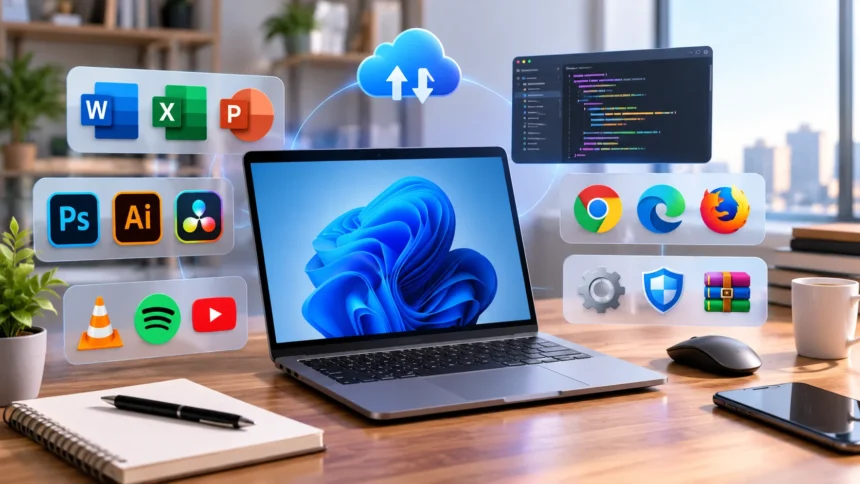
What Is Software? Definition, Types & Examples
Software is the collection of programs, instructions, and related data that tells computers and other digital devices what to do. Whenever you open a web browser, send a message from your phone, edit a document, play a video game, or use online banking, software is working behind the scenes to make those actions possible. Hardware provides the physical components of a computer, while software supplies the instructions that allow those components to perform useful tasks. Modern software ranges from simple calculator applications to enormous operating systems, cloud platforms, artificial intelligence tools, and business-management systems. Understanding what software is makes many other technology concepts, including apps, operating systems, programming, SaaS, and computer hardware, much easier to understand.
Software now forms part of almost every industry and many ordinary daily activities. Businesses rely on software for accounting, communication, inventory management, marketing, cybersecurity, customer service, data analysis, and automation. Hospitals use software to manage medical information and equipment, while vehicles contain embedded programs controlling everything from entertainment systems to safety features. Smartphones combine hundreds of software components to handle calls, cameras, navigation, payments, and internet access. Software can be installed directly on a device, built into equipment, or delivered through the internet as a cloud service. This guide explains software meaning, major software types, how programs work, common examples, software development, and the difference between software and hardware.
What Is Software?
Software is a collection of computer programs, instructions, procedures, and associated data that enables a computer or digital system to perform particular functions. NIST defines software in part as computer programs and associated data that can be written or modified while a device is operating. In simpler terms, software tells hardware what actions to perform and how those actions should be carried out. A computer without useful software would contain processors, memory, storage, and other physical components but would have very limited ability to perform tasks for a user. Software transforms those physical resources into tools that can calculate, communicate, create, store, analyze, and display information.
A simple example of software is a calculator application. When a user enters 25 × 4, the program accepts the input, follows instructions written by its developers, asks the processor to perform the required calculations, and then displays the answer. The user does not need to know which processor instructions or memory locations are being used because the software manages those details. The same basic principle applies to much larger programs such as web browsers and video editors, although their internal operations are vastly more complex. Software creates an understandable layer between human goals and the electrical operations occurring inside digital hardware.
Software is usually created by writing source code in programming languages such as Python, JavaScript, Java, C, C++, C#, Swift, or many others. Developers use these languages to describe algorithms, rules, interfaces, and behaviors that a computer should perform. Depending on the language and system, source code may be compiled into machine instructions before execution or interpreted by another software component while the program runs. Modern applications also depend heavily on libraries, frameworks, databases, application programming interfaces, and other existing software. As a result, even a seemingly simple application may combine code written by many developers and organizations over several years.
The term software includes much more than the apps visible on a phone or desktop. Operating systems, device drivers, database engines, compilers, firmware, web applications, cloud services, security tools, and embedded programs can all be considered forms of software or closely related software technologies. IBM commonly groups major software categories into system software, programming software, application software, and embedded software. Different textbooks and technology companies may use slightly different classification systems, so there is no need to treat every category as completely separate. The most useful distinction is understanding what role each type of software performs within a digital system.
Software can also be changed far more easily than most physical hardware. A developer can release an update that fixes a bug, adds a feature, changes an interface, improves security, or modifies how a program behaves without replacing the user’s computer. This flexibility is one of the main reasons digital products can evolve quickly after they have been released. However, software can also contain mistakes or vulnerabilities, which is why testing, updates, backups, and cybersecurity remain important. Modern organizations therefore treat software as something that must be continuously maintained rather than a product that is permanently finished after its first release. Good software evolves alongside technology and user needs.
How Does Software Work?
Software works by giving a computer structured instructions that its hardware can ultimately execute. At the lowest level, processors understand machine instructions represented through binary information, but writing large applications directly in machine code would be extremely difficult for most developers. Programming languages allow humans to describe operations in forms that are easier to read and maintain. Tools such as compilers, interpreters, runtimes, and operating systems then help translate or execute those instructions in a form the machine can process. When a user launches an application, many layers of software and hardware cooperate almost instantly to create the result seen on the screen.
Consider what happens when you open a photo on a laptop. The application first needs access to the image file stored on a storage device such as an SSD. The operating system helps the application locate and read the necessary data while controlling access to memory, storage, and other resources. The photo software interprets the file format, processes information about colors and pixels, and sends instructions toward the graphics system. The graphics hardware eventually produces the visual output shown on the display. What feels like one simple mouse click therefore triggers a long chain of interactions between application software, system software, device drivers, memory, storage, the processor, and display hardware.
Software relies heavily on input, processing, and output. Input can come from a keyboard, mouse, touchscreen, camera, microphone, network connection, sensor, or another program. The software receives that information and applies rules or calculations to determine what should happen next. It then produces output, which could be text on a screen, a stored file, an audio signal, a network message, or a command sent to physical equipment. A navigation app, for example, receives location information as input, processes map and traffic data, and outputs route instructions. This general input-process-output pattern appears throughout computing even when individual software systems are extremely complex.
Operating systems make software easier to run by managing the hardware resources shared between many applications. If several programs are open at once, the operating system determines how processor time, memory, storage access, and other resources should be allocated. Applications generally do not need to directly control every hardware component themselves because they can request services from the operating system. Device drivers provide another layer that helps operating systems communicate with particular hardware such as printers, graphics cards, cameras, and network adapters. This layered architecture makes modern computers more flexible because application developers can work with standardized software interfaces rather than designing their programs separately for every piece of hardware.
Software can also communicate with other software through application programming interfaces, commonly called APIs. An online shopping application might use one service to process payments, another to calculate shipping, and another to send customer notifications. Instead of rebuilding every capability internally, developers can connect their software to specialized services through defined interfaces. This approach is especially common in cloud computing and modern web applications. Databases, authentication systems, analytics platforms, artificial intelligence models, and payment gateways may all operate as separate components connected to one user-facing application. Modern software therefore often functions as an ecosystem of interacting services rather than one completely self-contained program.
What Are the Main Types of Software?
The two broad categories most beginners encounter are system software and application software. System software manages the computer itself and creates the environment in which other programs operate. Application software focuses more directly on tasks performed for users, such as writing documents, browsing websites, editing photographs, or managing business records. Other important categories include programming software, utility software, embedded software, and firmware. Cloud-based software can also be classified according to how it is delivered rather than only what function it performs. IBM similarly identifies system, programming, application, and embedded software among major categories used in modern computing.
System software includes operating systems, device drivers, and many background components necessary for normal computer operation. Microsoft Windows, macOS, Linux, Android, and iOS are familiar operating-system examples. These platforms manage resources and provide services applications can use. When software requests access to a file, memory, network connection, or hardware device, system software helps coordinate the operation. Users interact with parts of system software every day through settings, file managers, login screens, and system menus, even though much of its activity remains invisible. Without system software, running general-purpose applications on modern computers would be considerably more complicated.
Application software includes programs designed to help users accomplish specific tasks. Web browsers, word processors, accounting systems, photo editors, messaging applications, video players, project-management platforms, and games are all examples. Applications may be designed for individuals, businesses, professionals, or particular industries. Some are installed locally, while others run mainly through a web browser or cloud platform. A smartphone app is application software just as a large enterprise customer relationship management system is application software. The size and complexity may be very different, but both exist primarily to help users perform defined activities rather than simply manage the underlying hardware.
Programming software provides tools used to create, test, debug, and maintain other software. Examples include code editors, integrated development environments, compilers, interpreters, debuggers, version-control clients, and build tools. A developer may write code in an editor, compile or interpret it, run automated tests, find errors with a debugger, and store changes in a version-control system. IBM includes tools such as text editors, compilers, linkers, and debuggers within its programming-software category. These programs are not usually visible to ordinary users, but they are essential to the software-development process. Without programming tools, creating modern applications would be dramatically slower and more difficult.
Embedded software and firmware operate inside devices that people may not normally think of as general-purpose computers. Cars, washing machines, smart thermostats, cameras, routers, medical devices, industrial robots, televisions, and household appliances can all contain software controlling specialized functions. Embedded software is often designed for one specific device or tightly defined task rather than allowing users to install arbitrary applications. Firmware sits particularly close to hardware and can control fundamental device operations, including startup behavior and communication with components. These categories sometimes overlap in everyday language, but the important point is that software is not limited to laptops and smartphones. It exists throughout modern electronic equipment.
What Is System Software?
System software is the software layer responsible for managing hardware resources and providing essential services that other programs use. IEEE describes system software as programs that manage hardware resources and provide the foundation on which application software runs. This category handles tasks such as processor scheduling, memory allocation, file management, device communication, networking, security, and system startup. Users may interact with system software through menus and settings, but much of its work happens automatically in the background. The operating system is usually the most important example because it coordinates the major components of a general-purpose computer.
An operating system manages communication between applications and hardware while providing a consistent environment in which programs can run. Windows allows thousands of different applications to use similar methods for opening files, displaying windows, printing documents, and accessing networks. Android performs comparable responsibilities on smartphones while also managing touch input, cameras, wireless communication, notifications, and mobile applications. Operating systems also handle user accounts, permissions, updates, and many security features. Without this shared software layer, every application developer would need to create separate low-level solutions for many basic computer functions. Operating systems therefore make both software development and everyday computer use more practical.
Device drivers are another important form of system software. A driver helps the operating system communicate correctly with a specific category or model of hardware. Printers, graphics cards, audio devices, network adapters, webcams, and storage controllers may all use drivers. When a computer sends information to a printer, the driver helps convert general printing requests into instructions the device can understand. Manufacturers may release driver updates to improve performance, fix errors, add compatibility, or address security issues. Problems with drivers can cause hardware to stop working properly even when the physical component itself is not damaged.
System utilities sometimes overlap with system software because they help maintain, configure, protect, or analyze a computer. Disk management tools, system monitors, backup utilities, file-management tools, and security components may operate close to the operating system. Some utilities come bundled with the operating system, while others are installed separately. Their role is generally different from productivity applications because they focus on maintaining the computing environment rather than creating user documents or entertainment. The distinction is not always absolute, and the same tool can fit more than one software category depending on how classifications are defined. Software categories are therefore useful for understanding roles rather than rigid boxes.
Modern system software also extends beyond one personal computer. Servers run operating systems that manage websites, databases, cloud applications, and network services for many users. Virtualization platforms create software-based computers that share physical hardware while remaining logically separated from one another. Container systems provide additional methods for packaging and running applications consistently across environments. Cloud data centers can operate enormous collections of system software coordinating thousands of physical and virtual machines. Although a user may only see a website or mobile app, layers of system software can be working in the background across many servers to provide that experience reliably.
What Is Application Software?
Application software is designed primarily to help users perform specific tasks. A word-processing application helps create and edit documents, while a spreadsheet program supports calculations, data organization, and analysis. Browsers allow users to access websites and web applications, whereas media software can play or edit music and video. Businesses use application software for accounting, payroll, customer management, inventory, sales, analytics, project management, and many other functions. These programs sit above the system-software layer and depend on operating systems and hardware resources to function. Application software is the category most people interact with directly throughout the day.
Productivity software includes applications used to create documents, spreadsheets, presentations, notes, calendars, and other work-related material. Microsoft Word, Excel, PowerPoint, Google Docs, and similar tools are familiar examples. Creative professionals use specialized applications for graphic design, photography, video editing, animation, music production, and three-dimensional modeling. Engineers and architects use computer-aided design software, while data professionals work with statistical and visualization programs. Application software can therefore range from simple everyday tools to highly specialized professional systems requiring years of training. What connects them is that each program helps the user accomplish a defined purpose.
Communication software has become another major application category. Email clients, video-conferencing platforms, messaging applications, collaboration tools, and social networking services allow people to exchange information across devices and locations. Many modern communication tools are cloud-based, meaning much of the software runs on remote servers while users access features through browsers or mobile applications. These systems may combine messaging, file sharing, video calls, calendars, search, and automated workflows in one platform. Businesses increasingly rely on such software to coordinate remote and distributed teams. The boundary between communication software and productivity software has therefore become increasingly blurred as platforms combine more capabilities.
Industry-specific application software is built around the workflows of particular professions or organizations. Hospitals use electronic health record systems, retailers use point-of-sale applications, hotels use property-management software, and logistics companies use transportation-management platforms. Banks depend on financial software, schools use learning-management systems, and manufacturers operate planning and production applications. These programs often connect with databases, scanners, payment systems, sensors, or specialized equipment. Custom software may also be built when standard commercial applications cannot meet an organization’s requirements. IBM distinguishes custom software from commercial off-the-shelf software designed for broader markets.
Mobile applications are another highly visible form of application software. Smartphones contain apps for communication, navigation, banking, shopping, health tracking, photography, transportation, entertainment, and many other activities. Some mobile apps perform most processing directly on the phone, while others mainly provide an interface to cloud services. A banking app, for example, communicates securely with remote systems holding account information rather than storing the entire banking platform on the user’s device. The same application may also depend on GPS, cameras, biometric sensors, notifications, and other phone capabilities. Modern application software therefore often combines local device functions with remote internet services.
What Is Programming Software?
Programming software includes the tools developers use to design, write, test, debug, build, and maintain other software. The most basic example is a code editor, which provides an environment for writing source code. More advanced integrated development environments, known as IDEs, combine editing with debugging, code completion, project management, testing, and other development features. Popular programming environments may support one or many programming languages. Developers select tools according to the type of software they are building, the languages involved, and the platforms where the final application will run. These tools make software creation much more efficient than writing and managing code manually with basic text-processing utilities.
Compilers and interpreters play important roles in turning human-readable source code into instructions a computer can execute. A compiler generally translates source code into another form before the program runs, often creating machine code or an intermediate representation. An interpreter typically reads and executes instructions through a runtime environment rather than producing a completely independent machine-code program in advance. Real programming languages can use combinations of these approaches, so the distinction is not always as simple as introductory explanations suggest. Developers usually do not need to manage every low-level translation step personally because programming tools automate much of the process.
Debuggers help programmers identify why software behaves incorrectly. If an application crashes, returns the wrong result, or behaves unexpectedly, developers can use debugging tools to inspect variables, pause execution, step through individual instructions, and examine the program’s internal state. Automated testing software can also run large collections of tests whenever code changes, helping developers detect problems before users encounter them. These tools are especially important in large software projects where one modification can unintentionally affect many other features. Modern development teams often integrate testing directly into automated build and deployment pipelines so errors are identified as early as possible.
Version-control software helps developers manage changes to source code over time. Instead of repeatedly saving files with names such as final, final2, and really-final, teams can record structured versions of their code and track who changed what. Developers can create separate branches for new features, compare changes, review each other’s work, and restore earlier versions when necessary. Version control also makes collaboration easier when dozens or thousands of people contribute to one project. It has become a fundamental part of professional software development. The underlying principle is simple: software changes continuously, so development teams need reliable ways to manage its history.
Programming tools now increasingly include artificial intelligence features that can suggest code, explain errors, generate tests, summarize documentation, and assist developers with routine tasks. These tools can improve productivity, but generated code still requires review because suggestions can contain mistakes, security weaknesses, or unsuitable assumptions. Human developers remain responsible for architecture, requirements, testing, security, maintenance, and deciding whether generated code actually solves the intended problem. Low-code and no-code platforms have also expanded software creation to people with less traditional programming experience. Microsoft identifies AI adoption and low-code or no-code platforms among trends affecting modern cloud software.
Utility Software, Firmware and Embedded Software
Utility software is designed to help maintain, protect, organize, optimize, or diagnose computer systems. Examples include antivirus programs, backup applications, compression tools, disk-cleanup utilities, file managers, system-monitoring software, and data-recovery tools. Some utilities are included with operating systems, while others are sold or downloaded separately. Their purpose differs from ordinary productivity applications because they focus on supporting the computer environment itself. A backup utility, for example, may automatically copy important files to another location so they can be restored after hardware failure or accidental deletion. Utility software can therefore play an important role in reliability and security.
Security utilities include antivirus software, endpoint protection, firewalls, password managers, encryption tools, and vulnerability scanners. These programs help reduce risks created by malware, unauthorized access, unsafe files, or weak security configurations. Businesses may deploy advanced security agents across thousands of computers so administrators can monitor threats from a central platform. Individual users may rely on security features built into their operating system alongside additional tools. No utility can provide perfect protection by itself, so security still depends on updates, safe behavior, strong authentication, backups, and good system management. Software security works best as several overlapping layers rather than one single application.
Firmware is software closely associated with hardware and often used to control fundamental device behavior. Routers, keyboards, cameras, storage drives, motherboards, televisions, and many other electronic devices contain firmware. Unlike a normal desktop application that users open whenever they choose, firmware often starts automatically when the device powers on and performs essential low-level functions. Firmware can sometimes be updated to fix security problems, improve compatibility, or add features. NIST definitions distinguish firmware as programs and data stored in hardware in ways that are generally less dynamically modifiable during ordinary execution than conventional software.
Embedded software is designed to operate within equipment created for a particular function. A washing machine may contain software controlling water levels, temperature, spin speed, timers, and safety sensors. Cars can contain many electronic control units running software for braking, engine management, driver assistance, entertainment, battery systems, and other functions. Industrial robots use embedded programs to coordinate movement and interact with sensors. IBM describes embedded software as software used to control devices such as telecommunications equipment, cars, and industrial robots, including systems that may participate in the Internet of Things.
The distinction between firmware and embedded software is not always perfectly clear because both can be tightly connected with hardware. An embedded device may contain several software layers, including boot firmware, a small operating system, device drivers, and application logic. A smart television, for example, contains firmware needed to start and control hardware while also running applications for streaming services. Modern cars can contain millions of lines of software distributed across numerous controllers. These examples show how broad the word software has become. It can describe everything from a simple utility program to code controlling complex machines operating in the physical world.
Software vs Hardware: What’s the Difference?
Hardware refers to the physical components of a computer or electronic system, while software refers to the instructions and data that run on that hardware. A processor, keyboard, screen, motherboard, storage drive, and memory module are examples of hardware because they physically exist and can be touched. Windows, a web browser, a video game, and a photo editor are examples of software because they consist primarily of digital instructions and data. Neither category is useful on its own in most modern systems. Hardware provides computing capability, while software tells that hardware how to apply the capability toward meaningful tasks.
A useful analogy is to compare hardware with a musical instrument and software with the music being performed. The instrument provides the physical mechanism capable of creating sound, while the written composition determines what should be played. Different songs can be performed using the same instrument, just as different software applications can run on the same computer. The analogy is imperfect because computer software can also modify and interact with itself in complex ways, but it helps illustrate the basic difference. Buying more powerful hardware increases what a computer can potentially do, while installing software determines which specific tasks the user can perform.
Hardware and software are strongly interdependent. A demanding video game may require a powerful graphics card, sufficient memory, and a compatible processor because the software performs calculations that weaker hardware cannot complete efficiently. At the same time, expensive hardware provides little benefit if the available software cannot make effective use of it. Device drivers further connect the two by allowing operating systems and applications to communicate with specialized components. Software developers therefore consider hardware limitations when designing programs, while hardware manufacturers consider software requirements when building devices. Many performance improvements come from optimizing both together rather than upgrading only one side.
Hardware usually requires physical replacement when it fails or becomes outdated, while software can often be updated remotely. A phone manufacturer may send an operating-system update that changes features without physically modifying the device. Developers can patch applications, repair vulnerabilities, or improve performance through downloaded files. This makes software more flexible, but it also means users must pay attention to update support. A perfectly functioning computer can become unsafe if its operating system no longer receives security fixes. Similarly, new applications may eventually require hardware capabilities older devices do not have, creating a practical relationship between software support and hardware lifespan.
Another important distinction involves copying. Creating a second physical laptop requires additional materials, components, manufacturing, shipping, and labor. Once software has been developed, however, digital copies can generally be distributed at extremely low marginal cost. This characteristic helped create software licensing, downloads, app stores, subscription services, and cloud computing business models. Companies can provide the same software to millions of customers without manufacturing a separate physical product for every user. Development and infrastructure may still be expensive, but digital distribution behaves differently from traditional manufacturing. This economic difference has helped software become one of the most important products and services in the modern economy.
How Is Software Developed?
Software development usually begins with understanding a problem or need. Developers and product teams identify what users are trying to accomplish, which features are required, what constraints exist, and how success will be measured. Building software before understanding the problem can result in technically impressive products that users do not actually need. Requirements may be collected through interviews, research, existing data, customer feedback, or business analysis. Large projects can involve product managers, designers, engineers, security professionals, data specialists, and industry experts. Good software development therefore starts with understanding people and processes rather than immediately writing code.
Design comes next, although development processes often overlap instead of following one rigid sequence. User-experience designers may create screen layouts and interaction prototypes, while software architects determine how different technical components should communicate. Teams choose programming languages, databases, hosting environments, APIs, and security approaches according to the project’s requirements. Engineers may also decide whether existing services can solve parts of the problem instead of building everything internally. These design choices can influence cost, performance, reliability, scalability, and long-term maintenance. A successful architecture should solve current needs without making future changes unnecessarily difficult.
Developers then write source code and connect the necessary components. Work is often divided into smaller tasks so multiple engineers can contribute simultaneously. Version-control systems keep track of changes, while code reviews allow teammates to examine proposed modifications before they become part of the main software. Developers may build automated tests alongside the application to verify that important behaviors continue working as changes are introduced. IBM notes that modern DevOps teams commonly combine development and IT operations with continuous integration and continuous delivery practices that automate frequent software updates.
Testing is necessary because virtually all sufficiently complex software can contain defects. Testers and developers check whether features behave correctly, user interfaces make sense, performance remains acceptable, and security controls work as intended. Automated tests can examine thousands of predictable scenarios rapidly, while human testers can explore unusual behaviors and usability problems that automation may miss. Security testing may examine authentication, data protection, dependencies, and common attack paths. Software may also be tested on different devices, operating systems, browsers, screen sizes, and network conditions. Releasing software without adequate testing can lead to crashes, lost information, security incidents, and frustrated users.
Development continues after release because software usually requires maintenance. Users discover new needs, operating systems change, security vulnerabilities are identified, and competing products introduce new capabilities. Developers release patches, feature updates, interface improvements, and performance changes over time. Monitoring systems can reveal errors or slowdowns that occur in real-world use, while customer support provides feedback about recurring difficulties. Cloud-based software makes continuous updating particularly common because providers can deploy improvements centrally without requiring every customer to install a traditional boxed upgrade. Modern software development is therefore better understood as a continuous lifecycle than as a one-time project that ends permanently on launch day.
What Is SaaS and Cloud-Based Software?
Software as a Service, commonly abbreviated as SaaS, is a cloud-based delivery model in which users access applications over the internet rather than relying entirely on software installed and maintained on their own computers. Microsoft defines SaaS as cloud-based software where users access applications while the provider manages underlying infrastructure, maintenance, security, and updates. NIST similarly describes SaaS as access to provider-hosted applications running on cloud infrastructure, commonly through a browser or program interface. This model has become common for both personal and business software.
Traditional installed software usually places most application files directly on the user’s computer. Historically, people might purchase software, install it from physical media, and later buy a new version when major upgrades became available. SaaS changes that model because much of the application operates on servers maintained by the provider. Users may access the service through a web browser or lightweight application while data and processing occur partly or primarily in the cloud. Updates can be deployed centrally, allowing customers to receive new features without manually reinstalling the entire product. The provider also manages much of the infrastructure needed to keep the service available.
SaaS frequently uses subscription pricing, with customers paying monthly or annually instead of buying a permanent copy upfront. Microsoft notes that SaaS subscriptions can help customers scale usage and remain current with software features and security updates. Subscription models can make software easier to start using because organizations avoid large initial infrastructure investments. However, customers must consider recurring costs and how dependent their workflows become on one provider. Businesses should also evaluate data security, privacy, backups, availability, integrations, and the process for exporting information if they later switch platforms.
Cloud-based software makes collaboration easier because users can often access the same application and data from different locations. Several people may edit a shared document, update a project, or view the same customer record without passing local files between computers. Remote teams particularly benefit because a browser and internet connection can provide access to business applications from many approved devices. Centralized services also make it easier for administrators to manage accounts and permissions. However, cloud services create dependency on internet connectivity and provider availability. Some applications therefore provide offline modes that synchronize changes after the connection returns.
SaaS is a delivery model rather than one specific type of application. Accounting systems, email platforms, design tools, project-management software, customer relationship management applications, analytics products, collaboration tools, and artificial intelligence services can all be delivered as SaaS. A program can therefore be both application software and SaaS at the same time because one label describes what the software does while the other describes how users receive it. Understanding this distinction prevents confusion when comparing software categories. Modern products frequently cross several classifications because software architecture and delivery models have become increasingly flexible.
Why Software Matters in Everyday Life
Software matters because it allows general-purpose digital hardware to solve an enormous variety of problems. The same laptop can function as a writing tool, video studio, accounting system, gaming machine, communication platform, programming environment, and research library depending on the software installed or accessed through the internet. Smartphones demonstrate the same flexibility on an even smaller device. New software can add capabilities without redesigning the physical hardware for every individual task. This adaptability is one of the main reasons computers have become useful across almost every industry. Software converts raw computing power into specific services people can understand and use.
Businesses depend particularly heavily on software because digital systems can automate repetitive tasks and coordinate information across departments. Accounting software can calculate financial records, customer-management systems can organize sales activity, and inventory applications can track products through warehouses. Automation tools can transfer information between systems without requiring employees to repeatedly copy data by hand. Analytics software can process large datasets and reveal patterns that would be difficult to identify manually. As organizations grow, software helps maintain processes that would otherwise become too complex to coordinate. Good software can therefore improve speed, accuracy, scalability, and decision-making.
Communication has also been transformed by software. Email, messaging applications, social platforms, video calls, and collaborative documents allow people to exchange information almost instantly across countries. Businesses can operate with distributed teams, students can attend online classes, and families can communicate through video from different parts of the world. These capabilities rely on application software as well as enormous layers of system and network software operating underneath the visible interface. Users may only tap one call button, but servers, operating systems, communication protocols, encryption software, and network services cooperate to establish the connection.
Software also controls increasing numbers of physical systems. Vehicles, medical devices, industrial equipment, traffic systems, household appliances, telecommunications infrastructure, and energy networks all depend on programs. This integration means software quality can affect more than convenience. Defects in safety-critical systems can have physical consequences, while cybersecurity vulnerabilities can potentially expose connected equipment to unauthorized access. Developers working on such systems must therefore consider reliability, testing, security, regulatory requirements, and failure handling carefully. As more physical products become connected through the Internet of Things, the distinction between software problems and real-world operational problems becomes increasingly small.
Artificial intelligence is expanding what software can accomplish by allowing applications to work with language, images, predictions, recommendations, pattern recognition, and automated decision support in new ways. AI features now appear in search tools, writing applications, customer service, development environments, design software, cybersecurity systems, and business analytics. However, AI remains part of a larger software environment rather than replacing software itself. Models need applications, interfaces, infrastructure, data pipelines, security controls, and human oversight to become useful products. As technology continues evolving, understanding the basic meaning of software remains valuable because newer digital tools are still built on the same fundamental idea: instructions and data enabling hardware to perform useful work.
Frequently Asked Questions About Software
What is software in simple words?
Software is a collection of instructions and programs that tells a computer or other digital device what to do. Examples include operating systems, mobile apps, web browsers, games, business programs, and cloud applications.
What are the main types of software?
Common categories include system software, application software, programming software, utility software, embedded software, and firmware. Some software can fit into more than one category depending on its purpose and how it is delivered.
What are five examples of software?
Common software examples include Microsoft Windows, a web browser, a word processor, a photo-editing application, and a messaging app. Games, accounting platforms, antivirus tools, operating systems, and cloud services are also software.
What is the difference between software and hardware?
Hardware consists of the physical components of a computer, such as the processor, screen, keyboard, memory, and storage drive. Software consists of digital programs and instructions that run on hardware and tell those components how to perform useful tasks.
Is a mobile app software?
Yes. A mobile app is a type of application software designed to run on devices such as smartphones or tablets. Many mobile apps also connect to cloud-based software running on remote servers.