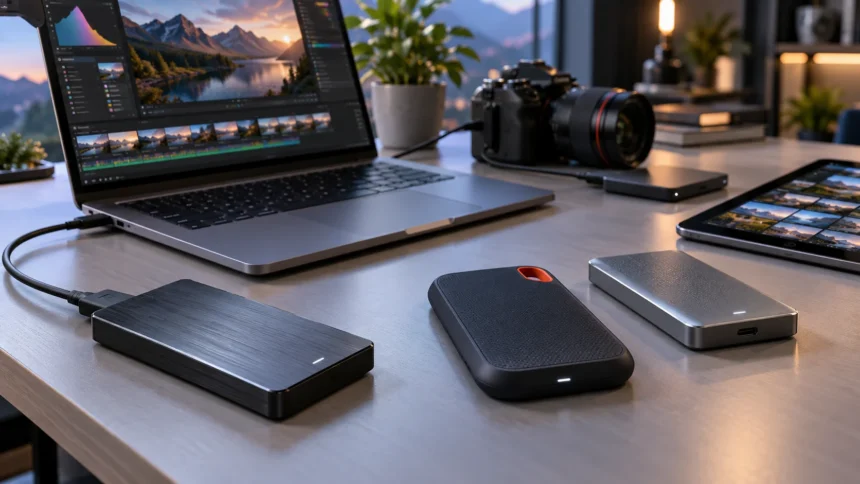
External SSDs have become one of the easiest ways to add fast, portable storage to a laptop, desktop, tablet, smartphone, or gaming system. Unlike traditional external hard drives, solid-state drives contain no spinning disks, which helps them deliver faster transfers, quieter operation, and greater resistance to everyday movement. Modern portable SSDs can handle everything from simple backups to demanding video-production workflows.
Choosing the best external SSD for fast storage depends heavily on the connection supported by your device. Some portable drives reach around 1,000MB/s through USB 3.2 Gen 2, while faster USB 3.2 Gen 2×2 and USB4 models can deliver substantially higher transfer speeds. Buying an extremely fast SSD only makes sense when your computer’s port can actually use that performance.
Capacity, durability, size, encryption, sustained performance, and compatibility matter alongside headline speed. A photographer may prioritize a rugged 4TB drive, while a student might prefer a lightweight 1TB model for documents and media. The strongest external SSDs in 2026 cover a wide range of needs, from everyday backups to professional creative work.
What to Look for in an External SSD
Start by checking the interface supported by both your computer and the external SSD. USB 3.2 Gen 2 typically provides enough bandwidth for drives around the 1,000MB/s range, while USB 3.2 Gen 2×2 enables roughly 2,000MB/s-class portable SSDs. USB4 and newer Thunderbolt connections can support significantly higher performance when both the drive and host device are compatible.
Capacity should match the size and type of files you regularly handle. A 1TB SSD is practical for everyday documents, photos, games, and backups, while 2TB provides more breathing room for larger media libraries. Video editors, photographers, game collectors, and creative professionals may benefit from 4TB because high-resolution projects can fill smaller drives surprisingly quickly.
Also consider physical durability, encryption, software support, warranty coverage, and weight. A rugged drive with water and dust resistance makes more sense for field work than one designed primarily for a desk. Hardware encryption can also be valuable when the SSD contains confidential business files, client projects, personal records, or other sensitive information.
SanDisk Extreme PRO USB4 for Maximum Portable Speed
The SanDisk Extreme PRO with USB4 is one of the most performance-focused portable SSDs available for compatible computers. SanDisk rates the drive for sequential read speeds up to 3,800MB/s and writes up to 3,700MB/s through its USB4 interface. Independent testing has also shown performance substantially above typical USB 3.2 Gen 2×2 portable drives when connected to appropriate hardware.
That extra throughput can be especially useful when moving large video projects, high-resolution photo libraries, disk images, or other multi-gigabyte files. The drive is available in capacities up to 4TB and is backward compatible with older USB connections, although performance naturally drops when the host port has less bandwidth. Thunderbolt 4 systems are also supported.
Portability has not been ignored despite the high-end specifications. The Extreme PRO USB4 uses a forged aluminum chassis with a protective silicone shell and carries an IP65 rating for dust and water resistance. It is also designed to withstand drops up to two meters, making it a strong option for creators who regularly work away from a controlled office environment.
Samsung Portable SSD T9 for Balanced Performance
The Samsung T9 remains a strong choice for users who want fast storage without moving all the way to a USB4-focused drive. It uses USB 3.2 Gen 2×2 and reaches up to 2,000MB/s sequential read speeds, with up to 2,000MB/s writes on the 4TB model. Capacities include 1TB, 2TB, and 4TB, covering both everyday and professional storage needs.
Samsung also includes Dynamic Thermal Guard to help manage temperature during demanding transfers. Thermal management matters because portable SSDs can become warm when moving very large files for extended periods, and excessive heat may affect sustained performance. The T9’s relatively compact construction makes it convenient for carrying between home, office, studio, and travel setups.
Durability and security add to its appeal. Samsung rates the T9 for drops of up to three meters and supports AES 256-bit hardware encryption along with Samsung Magician management software. Its combination of speed, capacity options, security, and broad device compatibility makes it particularly useful for people who want one external SSD to handle several different roles.
Crucial X10 Pro for Creative Workflows
The Crucial X10 Pro is aimed heavily at photographers, videographers, designers, and other users who frequently work with large media files. Crucial rates it for sequential reads up to 2,100MB/s and writes up to 2,000MB/s through USB-C. It is available with capacities up to 4TB, providing enough room for substantial photo catalogs, video footage, and active project files.
One advantage is the ability to work directly from the drive instead of always copying projects to internal storage first. Fast external storage can make editing, organizing, previewing, and transferring large assets significantly more convenient when laptop capacity is limited. Actual speeds still depend on the computer, port, cable, workload, and other system conditions.
Crucial uses Micron TLC NAND and gives the X10 Pro an IP55 rating for dust and water resistance. Compatibility includes Windows, Mac, Android, and selected cameras, making it practical for workflows that involve several devices. Its mixture of compact size, durable construction, and fast 20Gbps-class performance makes it particularly well suited to mobile creative work.
Lexar SL500 for Phones and Mobile Creators
The Lexar SL500 is an unusually slim portable SSD that combines strong performance with mobile-friendly dimensions. It supports USB 3.2 Gen 2×2 and is rated for read speeds up to 2,000MB/s and writes up to 1,800MB/s. Capacities range from 1TB to 4TB, giving users room for large videos without carrying a bulky external enclosure.
Mobile video creators are a particularly good match for the SL500. Lexar supports direct Apple ProRes recording on compatible iPhones, allowing footage to be written to external storage rather than filling the phone’s internal capacity. Its aluminum body is roughly credit-card sized and weighs only about 43 grams, making it easier to incorporate into compact filming setups.
The drive is rated IP54 for dust and water resistance and has been tested for drops up to two meters under controlled conditions. Lexar also provides DataShield software with 256-bit AES encryption for additional file protection. Users who regularly transfer files between phones, computers, cameras, and consoles may appreciate this combination of thin design and broad compatibility.
Kingston XS1000 for Compact Everyday Storage
The Kingston XS1000 focuses on simplicity and portability rather than maximum benchmark performance. It uses USB 3.2 Gen 2 and provides read speeds up to 1,050MB/s with writes up to 1,000MB/s. That is still quick enough for backups, documents, photos, media libraries, and many everyday large-file transfers without requiring a premium 20Gbps or USB4 connection.
Its biggest advantage is physical size. The XS1000 weighs under 29 grams and measures only about 70mm long, making it far easier to carry than many rugged or high-performance external drives. Capacities of 1TB and 2TB cover common storage needs without adding much weight to a laptop bag, camera kit, or everyday technology pouch.
Kingston also includes support for both USB Type-C and Type-A connectivity through the included accessories. That flexibility can be useful if you regularly work with a mixture of newer laptops and older computers. The XS1000 is therefore particularly attractive when portability, compatibility, and straightforward file storage matter more than reaching the highest possible transfer rates.
Understanding USB-C, USB4 and SSD Speed
One of the biggest mistakes when buying an external SSD is assuming every USB-C port has the same performance. USB-C describes the physical connector, not the maximum data speed. Two laptops can have visually identical USB-C ports while one supports relatively modest bandwidth and another provides USB4 or Thunderbolt connectivity capable of dramatically faster transfers.
A 2,000MB/s-class USB 3.2 Gen 2×2 SSD requires a compatible 20Gbps host connection to approach its advertised performance. Connect that same drive to a slower 10Gbps USB port and the interface becomes the limiting factor. Likewise, a high-performance USB4 SSD cannot deliver full USB4 throughput when connected through an older USB standard.
The cable matters as well. Using an incompatible or lower-bandwidth USB-C cable can silently reduce transfer speeds even when both the drive and computer support faster standards. Check your laptop specifications, the SSD’s interface, and the cable rating together rather than assuming the drive itself determines how quickly files will move.
Choosing the Right External SSD Capacity
A 1TB external SSD is usually enough for students, office users, and people who mainly store documents, photos, smaller media collections, or occasional backups. It provides plenty of flexibility without adding the cost of capacity that may never be used. However, remember that the usable formatted capacity displayed by your operating system will be lower than the advertised figure.
A 2TB SSD is often a more comfortable option for gaming libraries, photography, regular backups, and mixed work-and-personal storage. Larger games and high-resolution camera files can consume hundreds of gigabytes surprisingly quickly. Choosing 2TB also gives you room to organize several projects without constantly deleting older files to make space for new ones.
Four-terabyte drives make the most sense for video production, large creative archives, frequent system backups, or users who want to carry a substantial library on one portable device. Bigger is not automatically better, though. Compare the price difference between capacities and consider whether maintaining several smaller drives might offer better organization or additional backup redundancy.
External SSDs for Editing, Gaming and Backups
Video editors benefit most from sustained transfer performance rather than impressive peak numbers alone. High-bitrate footage, large timelines, proxies, and render files can place continuous demands on external storage. USB4 models such as the SanDisk Extreme PRO can provide additional headroom on compatible systems, while fast 20Gbps drives such as the Samsung T9 and Crucial X10 Pro remain capable options for many creative workflows.
Gamers generally need less extreme performance from an external drive. Fast loading and convenient game-library storage matter, but compatibility rules differ between consoles and PCs, especially for games that must run from specific storage types. Always confirm whether your console allows a particular title to launch directly from external USB storage or only permits the drive to store archived games.
For backups, maximum speed is often less important than capacity, reliability, organization, and maintaining more than one copy. An external SSD should not become the only location containing important files. Keep essential documents, photos, client work, and personal media in another storage location as well so drive loss, damage, or accidental deletion does not eliminate your only copy.
Connecting External SSDs to Laptop Setups
Laptop users often connect more than an SSD at the same time. Displays, memory cards, Ethernet cables, keyboards, chargers, and other peripherals can quickly consume available ports. When your laptop has limited connectivity, choosing one of the best USB-C hubs can make it easier to organize a desk or mobile workstation.
However, connecting an SSD through a hub can affect performance if the hub itself does not support enough bandwidth. A fast 20Gbps or USB4 drive should ideally use a port capable of providing the necessary data rate. Connecting several bandwidth-heavy devices through one hub may also force them to share available bandwidth, reducing transfer speed during demanding workloads.
For maximum performance, connect your fastest SSD directly to an appropriate laptop port whenever practical. A hub remains useful for slower accessories such as keyboards, mice, card readers, and general USB peripherals. Understanding which devices actually require high bandwidth helps you allocate your available connections more effectively instead of assuming every accessory needs the fastest port.
Best Practices for External SSD Performance
Always use the cable supplied with the SSD or another cable specifically rated for the required interface speed. A poor-quality cable can cause slower transfers, unreliable connections, or unexplained interruptions. Keep connectors clean and avoid sharply bending short cables, particularly when the drive is attached to a laptop that is frequently moved around a desk or carried between locations.
Give the drive adequate airflow during lengthy transfers. High-speed NVMe-based external SSDs can generate noticeable heat when copying hundreds of gigabytes continuously. Avoid placing the drive under blankets, clothing, or other objects that trap heat, and let its casing perform its intended role in dissipating thermal energy during heavy workloads.
Finally, use safe-eject procedures before disconnecting the SSD, particularly when applications may still be writing files. Maintain multiple copies of irreplaceable data and periodically check that important backups can actually be opened. Fast storage improves convenience, but good backup habits remain more important than transfer speed when the files themselves cannot easily be replaced.
Conclusion
The best external SSD for fast storage depends on both your workload and the connection available on your device. SanDisk’s Extreme PRO USB4 offers exceptional performance for compatible systems, while the Samsung T9 and Crucial X10 Pro provide strong 20Gbps-class options for everyday users and creative professionals.
The Lexar SL500 is especially appealing for mobile creators because of its thin design and direct recording capabilities, while Kingston’s XS1000 prioritizes portability and straightforward everyday storage. Each model serves a slightly different purpose, so comparing specifications without considering how you actually use your devices can lead to unnecessary spending.
Before buying, check capacity, interface speed, durability, security options, cable compatibility, and the ports on your laptop or desktop. A well-matched external SSD can dramatically improve file transfers, backups, media workflows, and portable storage without requiring an internal computer upgrade.
FAQs
What is the fastest type of external SSD?
USB4 and Thunderbolt-based external SSDs currently offer some of the highest portable transfer speeds. Actual performance depends on the SSD, host computer, interface bandwidth, cable, workload, and thermal conditions.
Is a 1TB external SSD enough?
A 1TB SSD is usually sufficient for documents, photos, everyday backups, and moderate media storage. Video editors, photographers, and gamers with large libraries may benefit from 2TB or 4TB instead.
Is USB-C the same as USB4?
No. USB-C describes the connector shape, while USB4 describes a data-transfer standard. A USB-C port may support several different speeds, so always check your computer’s specifications before buying a high-performance SSD.
Are external SSDs good for video editing?
Yes. Fast external SSDs can handle large video files and may allow editing directly from the drive. For demanding workflows, prioritize sustained performance and make sure your computer supports the SSD’s full interface speed.
How long do external SSDs last?
SSD lifespan varies with NAND type, write volume, temperature, controller design, and usage patterns. Important files should never rely on one external SSD alone, regardless of the drive’s age or warranty.