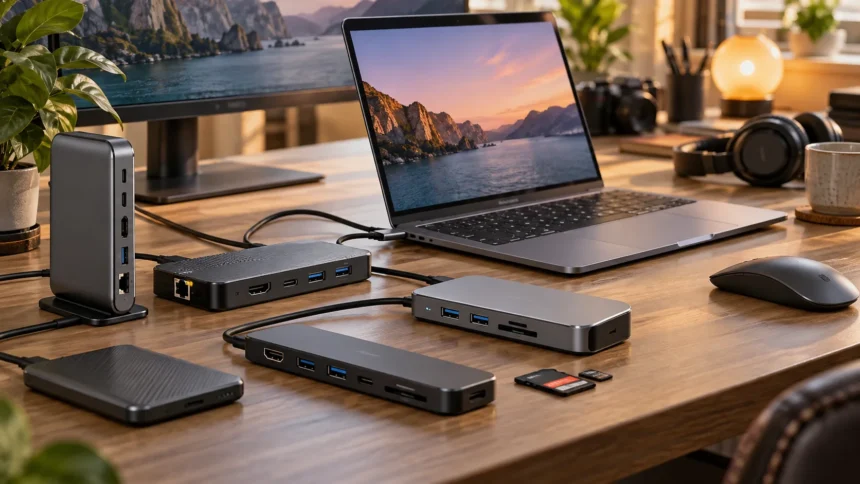
Modern laptops are thinner and lighter than ever, but that often means fewer built-in ports. A good USB-C hub solves this problem by turning a single USB-C connection into HDMI, USB-A, Ethernet, card readers, charging, and additional USB-C ports. For remote workers, students, creators, and travelers, the right hub can transform a minimalist laptop into a practical workstation.
The best USB-C hubs for laptops in 2026 should offer more than a large port count. Data-transfer speed, 4K display support, Power Delivery passthrough, build quality, cable length, and laptop compatibility all influence everyday usefulness. A poorly matched hub may technically connect to your laptop while still limiting display resolution, charging speed, or external SSD performance.
Current options from Anker, UGREEN, and Belkin cover everything from compact everyday adapters to USB4 hubs designed for demanding workflows. Some prioritize portability, while others emphasize multiple displays and high-speed data connections. Knowing which specifications actually matter will help you choose a hub that fits both your laptop and the accessories you regularly connect.
What to Look for in a USB-C Hub in 2026
Start by deciding which ports you actually need. Most users benefit from at least one HDMI or DisplayPort connection, USB-A ports, a USB-C data port, and Power Delivery input. Photographers may need SD and microSD readers, while remote workers often benefit from Gigabit Ethernet for a stable wired network connection.
Data speed deserves close attention because USB ports that look identical can perform very differently. Basic USB connections may offer 5Gbps transfers, while faster hubs support 10Gbps connections and USB4 models can provide substantially greater bandwidth. Faster speeds matter most when transferring large video projects, backups, photo libraries, or files to high-performance external SSDs.
You should also confirm that your laptop’s USB-C port supports the features you intend to use. Video output typically requires DisplayPort Alt Mode, while laptop charging requires appropriate USB Power Delivery support. A USB-C connector describes the physical shape of the port, but it does not guarantee that every laptop supports charging, video, and maximum-speed data simultaneously.
Anker 555 USB-C Hub for the Best Everyday Balance
The Anker 555 USB-C Hub remains a strong all-purpose option because it combines eight useful connections in a portable design. It includes two USB-A data ports, a 10Gbps USB-C data port, HDMI, Gigabit Ethernet, SD, microSD, and a USB-C Power Delivery input. This combination covers most accessories needed for office work, study, and travel.
Its HDMI output supports up to 4K at 60Hz when paired with a compatible laptop, making it suitable for connecting a sharp external monitor. The three high-speed data connections can reach up to 10Gbps, which is useful for external SSDs and larger file transfers. Gigabit Ethernet also provides a practical alternative when Wi-Fi reliability becomes inconsistent.
Charging passthrough is another reason the Anker 555 works well for everyday use. The hub accepts up to 100W input and reserves some power for its own operation, providing up to 85W to a compatible laptop. That is sufficient for many productivity notebooks, although powerful mobile workstations and gaming laptops may still require their original high-wattage adapters.
UGREEN Revodok Pro 9-in-1 for More Connectivity
The UGREEN Revodok Pro 9-in-1 is a useful choice when you regularly connect several accessories at the same time. It combines USB-C and USB-A data ports with HDMI, Gigabit Ethernet, SD and microSD card readers, and Power Delivery charging. The wider selection reduces the need to constantly disconnect peripherals when moving between storage devices, displays, and accessories.
Its USB-C 3.2 and USB-A 3.2 connections support speeds up to 10Gbps, while two additional USB-A connections provide up to 5Gbps. HDMI supports a maximum resolution of 4K at 60Hz, which is useful for office monitors and entertainment. The dedicated Ethernet port can provide Gigabit wired networking for more stable connections during large downloads or online meetings.
The hub also supports up to 100W Power Delivery input, allowing you to charge a compatible laptop while using its other ports. This makes it particularly practical for desk setups where you want one cable carrying accessories, monitor output, network access, and power. Its additional ports make it slightly less minimal than compact travel hubs, but significantly more flexible.
Anker 556 USB-C Hub for USB4 Performance
Users working with faster storage and multiple high-resolution displays may want to step up to a USB4-based hub such as the Anker 556. USB4 provides much greater potential bandwidth than conventional 5Gbps or 10Gbps USB hubs. This extra capability is particularly valuable for creative professionals transferring large files while simultaneously driving external monitors and other peripherals.
The Anker 556 can support two external monitors through its HDMI and DisplayPort outputs when the connected laptop provides the necessary video capabilities. Anker states that the hub can support configurations including dual 4K at 60Hz or a single display reaching up to 8K at 30Hz. Actual results still depend on the host laptop and operating system.
Its Power Delivery input accepts up to 100W, with approximately 85W available to the connected laptop after accounting for the hub’s own power requirements. The separate 10Gbps USB-C data port is intended for storage rather than video output or device charging. This distinction is important because not every USB-C socket on a hub performs the same function.
Belkin Connect 6-in-1 for a Simple Portable Setup
The Belkin Connect USB-C 6-in-1 Multiport Hub is suited to users who want the essential ports without carrying a larger docking solution. It includes HDMI, two USB-A ports, a USB-C Power Delivery connection, an SD card reader, and Gigabit Ethernet. Its compact body makes it suitable for laptop bags, shared offices, presentations, and travel workstations.
The current 4K60 version supports external displays at up to 4K at 60Hz and provides data transfers of up to 5Gbps. That is slower than newer 10Gbps hubs, but it remains sufficient for keyboards, mice, flash drives, basic storage, and many everyday peripherals. The integrated cable also means there is no separate host cable to misplace while traveling.
Belkin supports Power Delivery input up to 100W, although part of that power is required to operate the hub. This design is useful for users who want to connect a charger and accessories through a single laptop port. If you frequently transfer very large files, however, a 10Gbps or USB4 alternative may be worth the additional expense.
UGREEN Revodok 206 for Dual-Display Workflows
The UGREEN Revodok 206 is aimed at people who value external display connectivity more than card readers or Ethernet. Its six-port design includes two HDMI connections alongside USB-C and USB-A data connectivity and Power Delivery input. This makes it particularly useful for desk-based productivity setups where two external displays can improve multitasking and application organization.
UGREEN lists support for dual-display configurations and a maximum single-display output reaching 8K at 30Hz under supported conditions. It can also deliver up to 4K at 60Hz depending on how the displays and host device are configured. As with every multi-monitor USB-C hub, actual extended-display behavior depends heavily on the laptop and operating system.
The Revodok 206 also supports 100W Power Delivery input, with approximately 85W available for compatible laptop charging. Its USB data connections reach up to 5Gbps, which is adequate for standard peripherals and everyday external storage. Choose this model primarily when monitor expansion matters more than having Ethernet, SD readers, or the fastest available storage transfers.
How Much Power Delivery Do You Really Need?
USB-C Power Delivery allows a compatible charger to send power through the hub and into your laptop. Many current hubs advertise 100W PD input, but this does not necessarily mean your computer receives the full 100W. The hub itself consumes part of the available power, so real laptop output may be closer to 85W or another manufacturer-specified figure.
For ultrabooks and typical productivity laptops, this level of charging is often enough to maintain or increase battery charge while working. High-performance gaming laptops and mobile workstations may require 140W, 180W, or considerably more through proprietary chargers. In those cases, using the original laptop power adapter alongside the hub may deliver better sustained performance.
Travelers should also consider the charger itself because most USB-C hubs do not include a high-wattage wall adapter. A compact GaN charger can reduce how many power bricks you carry, while portable chargers can provide additional power when outlets are unavailable. Always confirm the power requirements of both your laptop and hub before building a one-charger travel setup.
HDMI, DisplayPort, and Multi-Monitor Support Explained
External display specifications are one of the easiest areas to misunderstand when buying a USB-C hub. A listing may advertise 4K or even 8K support, but refresh rate matters just as much as resolution. For everyday productivity, 4K at 60Hz generally feels noticeably smoother than 4K at 30Hz when scrolling, moving windows, or navigating large documents.
Your laptop must also support video output over its USB-C connection. A hub cannot create native DisplayPort Alt Mode functionality when the host port does not provide it. Before purchasing, check your laptop documentation to confirm whether the USB-C or Thunderbolt port supports external displays and which resolutions or refresh rates are available.
Multiple-monitor support is even more dependent on the operating system and hardware. Some Mac configurations handle multi-display output differently from Windows systems, and certain hubs may mirror screens rather than creating separate extended desktops. If dual monitors are essential to your workflow, verify compatibility with your exact laptop model before choosing a hub.
Data Transfer Speeds and Card Readers
A 5Gbps USB connection is sufficient for keyboards, mice, flash drives, printers, and many portable hard drives. Users transferring large videos, RAW photography libraries, or frequent backups may benefit from 10Gbps USB ports. High-performance external SSD users can gain even more from USB4 or Thunderbolt-class connectivity when both the drive and laptop support faster standards.
Remember that a hub shares bandwidth across its connection to the laptop. Several devices operating simultaneously can therefore compete for available throughput. Copying files between multiple external drives while running high-resolution displays may produce different performance from using one SSD by itself, particularly on hubs with limited upstream bandwidth.
Photographers and content creators should also inspect the card-reader standard. UHS-I SD readers are convenient for everyday memory cards but are slower than UHS-II readers when transferring from compatible professional cards. If your workflow regularly involves large photo or video projects, card-reader performance may matter just as much as the number of USB ports.
Check Laptop Compatibility Before Buying
A physical USB-C port does not tell you everything about its capabilities. Some laptop ports handle only data, while others support charging, external video, USB4, or Thunderbolt. Connecting an advanced hub to a limited USB-C port will not unlock features that the laptop itself was never designed to provide.
Cable capability also matters when using detachable host cables. A basic USB-C charging cable may not support USB4 speeds or high-resolution display output, even though the connectors fit perfectly. When a manufacturer supplies a dedicated host cable with a high-bandwidth hub, using that cable is usually the simplest way to avoid unexpected performance limitations.
Operating systems can introduce additional differences, particularly with multi-monitor setups and certain docking features. Windows, macOS, and ChromeOS do not always treat display expansion in exactly the same way. Read the manufacturer’s compatibility information for your laptop model, processor generation, and operating system rather than assuming that universal USB-C connectivity means identical functionality everywhere.
Which USB-C Hub Is Best for Your Laptop?
For most everyday users, an eight- or nine-port hub offering 10Gbps data, 4K60 HDMI, Power Delivery, Ethernet, and card readers provides the strongest overall balance. The Anker 555 and UGREEN Revodok Pro 9-in-1 fit this category particularly well. They provide enough connectivity for most home offices without moving into the size or cost of a full docking station.
Creative professionals and power users should consider higher-bandwidth options such as a USB4 hub when their workflow includes fast external SSDs or multiple high-resolution displays. Someone who primarily needs a monitor, keyboard, mouse, and network connection may not benefit from paying extra for USB4. Matching the hub to actual usage usually provides better value than simply buying the model with the highest specifications.
Frequent travelers may prefer a smaller six-port hub such as Belkin’s Connect series, while multi-monitor office users may benefit from a model designed specifically around dual displays. Think about what stays connected every day and what you only use occasionally. The best USB-C hub is the one that eliminates adapters without adding unnecessary size, cost, or complexity.
Conclusion
The best USB-C hubs for laptops in 2026 make thin modern computers considerably more versatile. Anker’s 555 provides an excellent mix of data, video, charging, Ethernet, and memory-card connectivity, while UGREEN’s Revodok Pro 9-in-1 gives users additional expansion. USB4 options such as the Anker 556 make more sense for demanding high-bandwidth workflows.
Do not choose a hub based on port count alone. Check data-transfer speeds, display resolution and refresh rate, Power Delivery output, card-reader specifications, Ethernet support, and operating-system compatibility. A seven-port hub with the right connections can be far more useful than a twelve-port model filled with features you rarely use.
Most importantly, verify what your laptop’s USB-C port actually supports before buying. DisplayPort Alt Mode, USB Power Delivery, USB4, and Thunderbolt capabilities vary between systems even when the connectors look identical. Matching the hub to your laptop and everyday peripherals will give you a cleaner, faster, and more dependable setup.
FAQs
What is the best USB-C hub for most laptop users?
An 8-in-1 or 9-in-1 hub with 10Gbps data, 4K60 HDMI, Ethernet, card readers, and Power Delivery offers an excellent general-purpose combination for work, study, travel, and home-office setups.
Can a USB-C hub charge my laptop?
Yes, if both the hub and laptop support USB Power Delivery. Remember that a 100W input hub may deliver less than 100W to the laptop because the hub reserves some power for itself.
Can a USB-C hub run two monitors?
Some models can, but multi-monitor behavior depends on the hub, laptop, operating system, and USB-C video capabilities. Always verify extended-display support for your exact laptop before purchasing a dual-monitor hub.
Is USB4 worth paying extra for?
USB4 is worthwhile when you use fast external storage, high-resolution displays, or other high-bandwidth devices. For basic peripherals, Ethernet, and one 4K monitor, a good 10Gbps USB-C hub may be sufficient.
Do all USB-C laptop ports support HDMI output?
No. A USB-C port usually needs DisplayPort Alt Mode, Thunderbolt, USB4, or another supported video capability for native monitor output. Check your laptop specifications before buying a hub primarily for HDMI or DisplayPort use.