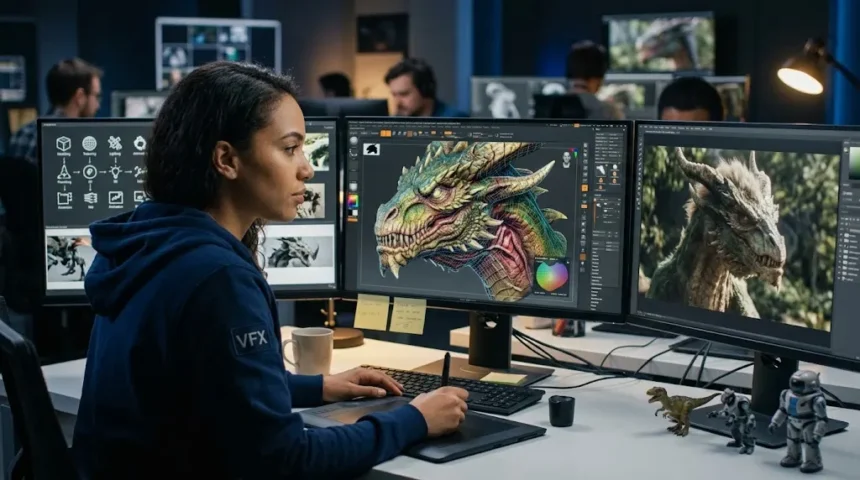
Computer-Generated Imagery: How CGI Actually Works
Computer-generated imagery, commonly known as CGI, refers to visual content created or significantly altered using computer software. It can include everything from realistic movie creatures and exploding spaceships to architectural visualizations, animated characters, product advertisements, medical illustrations, and virtual environments. CGI may appear completely digital, or it can be blended with footage captured by a real camera. Modern audiences encounter computer-generated imagery constantly, often without realizing that a scene contains digital elements. As rendering technology, artificial intelligence, virtual production, and real-time graphics continue to improve, the boundary between photographed reality and computer-created imagery has become increasingly difficult to recognize.
CGI is sometimes treated as another word for visual effects, but the terms are not exactly interchangeable. Computer-generated imagery specifically refers to images produced with computers, while visual effects, or VFX, describe a broader process of creating or manipulating imagery that would be difficult, unsafe, expensive, or impossible to capture normally. A VFX scene may combine CGI models, live-action footage, green-screen photography, digital compositing, simulations, and practical effects. CGI can therefore be one component of a larger visual-effects workflow. Understanding this distinction makes it easier to understand how movies, television programs, games, advertisements, and digital media are actually produced.
Behind impressive CGI is a highly structured production process involving artists, designers, animators, technical specialists, software engineers, and powerful computing systems. A three-dimensional character does not simply appear after someone presses a button. Artists may first create concept drawings, sculpt a digital model, build its internal skeleton, add textures, configure materials, animate its movements, simulate clothing or hair, illuminate the scene, and finally render the images. Each stage contributes to the final result. Large productions often divide these responsibilities among specialized departments because creating realistic digital imagery at scale can involve thousands of individual artistic and technical decisions.
Modern computer graphics technology has also changed dramatically from the early days of CGI. Today, artists can work with physically based rendering, motion capture, procedural generation, digital humans, real-time game engines, volumetric effects, virtual cameras, and AI-assisted tools. Powerful graphics processing units, or GPUs, allow calculations that once took hours to happen in seconds or minutes. Real-time rendering has become especially important because filmmakers and designers can preview environments while working instead of waiting for traditional offline rendering. These developments are making CGI faster, more interactive, and accessible to a much broader range of creators.
This guide explains what computer-generated imagery is, how CGI works, how 3D models are created, how animation and rendering happen, how CGI is combined with live footage, and where the technology is used today. It also explores important concepts including modeling, texturing, rigging, lighting, rendering, compositing, motion capture, physics simulation, real-time graphics, and artificial intelligence. The goal is to explain CGI without making the process unnecessarily technical. Whether you are interested in movies, video games, digital art, advertising, architecture, or computer graphics, understanding the workflow reveals how digital images move from ideas to convincing visual experiences.
What Is Computer-Generated Imagery?
Computer-generated imagery is visual content created using computer graphics software instead of being produced entirely through traditional photography or physical artwork. CGI can be two-dimensional or three-dimensional, although the term is strongly associated with 3D graphics in movies, television, video games, and advertising. Digital artists use specialized software to construct objects, environments, characters, lighting, and effects that may look realistic, stylized, or completely abstract. The finished imagery can stand alone as animation or be combined with footage recorded by cameras. Computer-generated imagery gives creators the ability to visualize things that may not physically exist, making it one of the most flexible tools in modern visual production.
CGI covers an extremely broad range of visual styles. A digitally created cartoon character is CGI, but so is a photorealistic building generated before construction begins. Product designers may use computer-generated images to visualize a vehicle before manufacturing a physical prototype. Medical professionals and educators may use detailed 3D anatomical models to explain structures inside the human body. Engineers can visualize machines, environments, and simulations before making expensive real-world changes. Because the technology is not limited to entertainment, computer-generated imagery has become important in fields ranging from science and architecture to manufacturing, education, marketing, and healthcare.
One reason CGI is powerful is that digital objects can be changed repeatedly without recreating everything from the beginning. Once artists build a detailed three-dimensional model, they may change its camera angle, lighting, materials, color, position, or animation while preserving the underlying geometry. A physical photograph does not offer the same flexibility after capture. Digital assets can also be reused across multiple scenes or projects when licensing and production requirements allow. This makes CGI particularly useful when visual consistency and repeated revisions are important. However, creating high-quality assets initially can require substantial time, expertise, and computing resources.
Computer-generated imagery does not automatically mean photorealism. Some of the most successful CGI deliberately looks stylized rather than attempting to imitate reality. Animated films may exaggerate proportions, lighting, movement, and colors to communicate emotion more effectively. Video games may use simplified graphics to achieve a particular artistic identity or maintain high performance. Architectural images may emphasize atmosphere rather than reproducing every physical detail. CGI is therefore a medium rather than a single visual style. Artists can use the same underlying technologies to create everything from realistic simulations to highly imaginative worlds.
The quality of CGI depends on both technology and artistic judgment. Advanced rendering software cannot compensate entirely for unnatural movement, incorrect lighting, weak composition, or poorly observed details. Human viewers are surprisingly sensitive to inconsistencies in familiar objects, faces, shadows, and physics. Effective CGI artists study real-world materials, photography, anatomy, motion, and light so digital scenes behave convincingly. Technical tools provide possibilities, but believable imagery usually comes from combining those tools with careful observation. This balance between mathematics and visual creativity sits at the heart of computer graphics production.
How Does CGI Work?
The CGI process usually begins with pre-production and visual planning. Artists and directors determine what needs to appear in the final image before detailed digital work begins. Storyboards may establish camera framing, while concept art explores character design, environments, colors, and mood. In film production, previsualization can create rough animated versions of complicated scenes before expensive shooting begins. This allows teams to test camera movements, timing, and action earlier. Good planning prevents unnecessary work because artists understand which assets require high detail and which elements may appear only briefly or far from the camera.
After planning, artists create digital assets. For three-dimensional CGI, this usually involves modeling objects as collections of points, edges, and surfaces known collectively as geometry. Artists can model manually, sculpt forms digitally, scan real objects, or generate geometry procedurally. Characters may require extremely detailed anatomy and facial structures, while background objects can often use simpler models. Production teams carefully manage complexity because highly detailed geometry requires more memory and processing power. The goal is to use enough detail to support the final image without wasting computational resources on information viewers will never see.
Once geometry exists, artists define how surfaces should look. This stage includes texturing and material creation, which determine properties such as color, roughness, transparency, metallic reflection, bumps, and surface imperfections. A digitally modeled wooden table will look artificial if it has perfectly uniform color and smoothness. Real wood contains grain, scratches, dust, subtle color variation, and changing reflectivity. Artists reproduce these characteristics using texture maps and physically based materials. The same principles apply to skin, glass, metal, fabric, concrete, water, and nearly every other material that may appear in a digital scene.
Digital objects must then be positioned, animated, illuminated, and viewed through virtual cameras. Character animators create movement, while lighting artists determine how digital lights interact with surfaces. Camera settings influence perspective, framing, depth of field, and motion blur just as they do in photography. More advanced scenes may also include physics simulations for smoke, water, cloth, destruction, hair, crowds, or particles. Every component contributes information that the rendering system eventually uses. Large productions may involve multiple specialized teams working simultaneously on different parts of this process.
Rendering converts the three-dimensional scene into finished two-dimensional images. Rendering software calculates how light interacts with objects, cameras, materials, shadows, reflections, and atmospheric effects. Depending on scene complexity and required realism, one frame can require enormous numbers of calculations. After rendering, artists often use compositing software to combine digital layers, adjust colors, integrate live-action footage, and add finishing effects. Movies typically require many frames for every second of screen time, so production quickly becomes computationally demanding. The complete workflow turns abstract digital information into imagery viewers can actually see.
How 3D Modeling Creates CGI Objects
3D modeling is the process of creating the digital shape and structure of an object inside three-dimensional computer space. A model is usually built from vertices, edges, and polygons that form a surface known as a mesh. Simple objects may contain relatively few polygons, while detailed characters and environments can contain millions. Artists manipulate this geometry until its proportions and form match the intended design. Models can represent realistic objects such as vehicles and buildings or completely imaginary creatures and environments. The digital geometry becomes the foundation for nearly every later stage, including texturing, rigging, animation, lighting, and rendering.
Polygon modeling is one of the most common approaches. Artists begin with basic shapes such as cubes, spheres, or planes and gradually modify their geometry. They can move vertices, extrude surfaces, create loops, and subdivide polygons to produce increasingly complex structures. This method provides precise control over topology, which describes how polygons are organized across the model. Good topology matters particularly for animated characters because geometry needs to deform smoothly around joints and facial features. Poorly arranged polygons can create visible distortions when a model moves, even if the static model initially looks convincing.
Digital sculpting provides another approach to 3D modeling. Instead of manipulating individual polygons directly, artists use virtual brushes that behave somewhat like tools for shaping clay. Sculpting is particularly useful for organic forms such as faces, creatures, muscles, wrinkles, rocks, and detailed surfaces. Artists can work with extremely dense geometry and gradually refine forms from broad shapes into tiny details. The resulting high-resolution model may later be simplified for animation or real-time applications. Detail from the original sculpt can then be transferred through maps that reproduce surface complexity without requiring every polygon to remain.
Photogrammetry and three-dimensional scanning can accelerate asset creation by capturing real-world objects digitally. Photogrammetry analyzes many photographs taken from different angles and reconstructs an approximate 3D surface from them. Laser scanning and other depth-capture techniques can measure physical environments with high precision. These methods are valuable for creating realistic buildings, landscapes, props, historical locations, and human faces. However, scanned data often requires cleanup because raw geometry may contain holes, unnecessary detail, or irregular topology. Artists therefore combine automated capture with manual refinement to create production-ready assets.
Procedural modeling generates geometry according to defined rules instead of requiring artists to shape every object individually. It can be useful for cities, forests, landscapes, roads, rocks, buildings, and other large environments containing repeated patterns. Artists create systems that introduce controlled variation so thousands of objects do not look identical. Procedural techniques save enormous amounts of time when scenes would otherwise require manual modeling of every element. They also allow artists to change parameters and regenerate environments quickly. Modern CGI increasingly combines traditional modeling, scanning, procedural generation, and AI-assisted processes depending on production needs.
Texturing, Materials and Lighting in CGI
A detailed model can still look completely artificial without convincing textures and materials. Geometry determines an object’s shape, while materials describe how its surface interacts with light. Artists define whether something appears glossy, rough, metallic, transparent, wet, dusty, polished, or translucent. Texture maps add smaller surface variations such as color patterns, scratches, fingerprints, pores, stains, and fabric weave. These properties are critical because real objects rarely have perfectly uniform surfaces. Small imperfections often make computer-generated objects feel more believable than excessive geometric detail alone.
Physically based rendering has transformed modern material creation. Instead of adjusting arbitrary visual settings until an object looks approximately correct, artists can define properties that correspond more closely with physical behavior. Materials may include base color, roughness, metallic properties, normal information, displacement, and transparency. A metal surface reflects light differently from plastic because their physical characteristics differ. Standardized material systems help digital assets remain visually consistent across different lighting environments. This is especially useful in large productions where multiple artists work on the same project and assets move between departments.
Skin is one of the most challenging materials to reproduce because light does not simply bounce off its outer surface. Some light enters the skin, scatters beneath it, and exits nearby, producing soft visual characteristics known as subsurface scattering. Wax, marble, leaves, and other translucent materials can display similar behavior. Digital shaders simulate these interactions to avoid the hard, plastic appearance common in older CGI. Artists also add pores, wrinkles, color variation, moisture, and tiny facial hairs. Human viewers are exceptionally sensitive to faces, making subtle material errors particularly noticeable.
Lighting gives form to all of these surfaces. Digital lights can imitate sunlight, lamps, studio equipment, neon signs, fire, or almost any other source. Artists adjust intensity, direction, size, color temperature, and shadow behavior to create the intended mood. Realistic CGI often requires studying how real light behaves rather than simply making everything visible. Shadows need appropriate softness, reflections must correspond with the environment, and brightness should respond naturally to distance and exposure. Lighting also guides attention by helping important subjects stand out from backgrounds.
Image-based lighting provides another technique for creating realistic illumination. Artists can capture high-dynamic-range images of real environments and use them to illuminate digital objects. This helps reflections and light direction match the surrounding scene, which is especially useful when CGI is combined with live-action footage. If a digital vehicle is placed on a filmed street, its reflections should contain visual information consistent with that location. Otherwise, viewers may sense that the object does not belong even if they cannot explain why. Matching lighting is therefore one of the most important steps in believable visual-effects integration.
Rigging and Animation: How CGI Starts Moving
Creating a model does not automatically make it easy to animate. Character models usually require a rig, which is a digital control system that behaves somewhat like an internal skeleton. Rigging artists create joints, bones, facial controls, and other mechanisms that animators can manipulate. The visible mesh is connected to this structure through a process known as skinning. When an animator rotates an arm control, the surrounding geometry must deform naturally around the shoulder and elbow. A well-designed rig gives animators expressive control without forcing them to manipulate thousands of vertices individually.
Character rigging becomes increasingly complex for realistic faces. Human expressions involve coordinated movement across numerous muscles and subtle changes around the eyes, mouth, cheeks, and forehead. Facial rigs may provide many individual controls or use systems that combine expressions more automatically. Blend shapes can store specific facial configurations and interpolate between them. More advanced productions may integrate facial performance capture with manual animation. Even after motion is captured from a performer, artists frequently refine the result because raw tracking data does not always produce emotionally convincing digital performances.
Traditional keyframe animation remains fundamental to CGI. Animators establish important poses at specific moments, and the software calculates intermediate positions between those keyframes. However, convincing movement requires much more than allowing software to interpolate automatically. Animators adjust timing, spacing, weight, anticipation, follow-through, and arcs so actions feel intentional. A character lifting a heavy object should move differently from someone lifting something lightweight. Animation therefore depends strongly on observation of real movement, acting principles, and visual storytelling rather than software features alone.
Motion capture, often shortened to mocap, records movement from real performers and transfers it to digital characters. Sensors, cameras, markers, or computer-vision systems track body movement as actors perform scenes. This data can provide a realistic foundation for walking, fighting, dancing, or subtle character performances. Facial capture systems may record expressions at the same time. Motion capture is particularly valuable when large amounts of realistic movement are required, but captured data still needs cleanup, editing, and artistic adjustment before becoming finished animation.
Not every movement is animated manually or captured from a performer. Procedural animation and simulation can generate motion according to rules or physical forces. Crowds can be created using agents that follow behavioral systems, while secondary motion may be generated automatically for accessories or environmental objects. Game characters can combine pre-created animations dynamically depending on player input. Increasingly, machine learning can also help generate or retarget motion between different characters. These approaches do not eliminate animators; instead, they give artists more efficient ways to control complex movement while concentrating manual effort where performance matters most.
CGI Simulation for Water, Fire, Hair and Destruction
Some visual effects are too complex to animate effectively by hand, which is where computer simulation becomes valuable. Simulation software calculates how digital elements behave according to mathematical rules inspired by physical systems. Fire, smoke, water, explosions, cloth, hair, debris, sand, snow, and large crowds can all be simulated. Instead of manually positioning thousands or millions of individual particles, artists define initial conditions and parameters. The computer then calculates how the system evolves over time. Artists remain responsible for directing the result because physically plausible behavior does not automatically create the most visually effective scene.
Fluid simulation is widely used for water, smoke, clouds, fire, and other flowing substances. These effects can require enormous computational resources because the software must calculate how quantities move through three-dimensional space over time. Higher simulation resolution can capture smaller swirling details but increases processing and memory requirements. Artists therefore test lower-resolution versions before generating final results. Parameters such as viscosity, turbulence, temperature, gravity, and velocity can be adjusted to create different behaviors. The goal is not always perfect scientific accuracy; visual storytelling usually remains the final priority.
Cloth simulation helps digital clothing react naturally to animated characters and environmental forces. Artists define properties that describe whether fabric should behave like stiff leather, flexible cotton, heavy wool, or lightweight silk. The software calculates folding, stretching, collisions, and movement as the character walks or moves. Poorly configured cloth can intersect with the body or behave like rubber, so substantial technical adjustment may be required. Costume complexity can make simulation especially challenging. Digital doubles used in action sequences often rely on sophisticated clothing systems to remain believable during extreme movement.
Hair and fur present similar challenges because a realistic character may contain enormous numbers of individual strands. Artists generally do not model and animate each hair manually. Instead, they create guide hairs and procedural systems that generate the full hairstyle or fur coverage. Simulation controls how strands respond to gravity, movement, wind, and collisions. Shading also matters because hair reflects and transmits light in distinctive ways. Small errors can make digital hair appear stiff, overly smooth, or detached from the character. Modern grooming tools allow artists to control density, clumping, curl, length, and directional flow.
Destruction effects combine rigid-body dynamics, particles, smoke, dust, and sometimes fluid simulations. A collapsing building, for example, may need structural pieces that break apart, smaller debris, dust clouds, sparks, and interactions with surrounding objects. Artists typically fracture geometry into pieces and establish constraints describing how strongly those pieces remain connected. Forces then trigger the simulated destruction. Large sequences may require multiple simulation layers because one system cannot efficiently represent every level of detail. The final effect becomes convincing when large structural motion and tiny environmental details behave consistently together.
Rendering: Turning 3D Scenes Into Finished Images
Rendering is the process that converts digital scene information into the final images viewers see. A 3D scene contains geometry, materials, lights, cameras, animation, and simulated effects, but those elements are essentially data until a renderer calculates their visual appearance. The renderer determines which objects are visible from the camera and how light interacts with every relevant surface. It calculates shadows, reflections, transparency, depth, atmospheric effects, and many other visual properties. More realistic calculations generally require more processing power. Rendering is therefore both an artistic and computational stage of CGI production.
Rasterization is one major rendering method and is particularly important for real-time applications such as video games. The computer projects three-dimensional geometry onto a two-dimensional screen and determines which pixels should represent each visible surface. Modern graphics hardware performs these calculations extremely quickly. Additional techniques create shadows, reflections, ambient lighting, and other effects while maintaining interactive frame rates. Rasterization has become highly sophisticated, allowing contemporary games to produce imagery that approaches cinematic quality. Its greatest advantage is speed, making it ideal when images must respond immediately to user input.
Ray tracing approaches rendering differently by simulating paths of light through a scene. The renderer can trace rays between the camera, objects, and light sources to calculate reflections, shadows, transparency, and indirect illumination. Path tracing extends this idea by simulating many possible light paths, producing highly realistic global illumination. These techniques can generate physically convincing imagery but traditionally require substantially more computation than rasterization. Improvements in GPU hardware and rendering algorithms have made ray tracing increasingly practical for both offline CGI and real-time applications.
Rendering quality is influenced by sampling. Complex light behavior cannot usually be calculated perfectly for every possible light path, so rendering software takes a limited number of samples and estimates the result. Too few samples can create visible grain called noise. Increasing samples generally produces cleaner images but takes more time. Denoising algorithms can reduce noise after fewer samples, helping shorten render times. Modern denoisers may use machine-learning techniques to predict cleaner images from incomplete calculations. This combination of better hardware, efficient sampling, and intelligent denoising has accelerated high-quality rendering considerably.
Large CGI productions often use render farms, which are collections of computers working together to process many frames. A feature-length animated production may contain well over a hundred thousand individual frames, depending on duration and frame rate. If every frame required significant rendering time on one computer, completing the project would be impractical. Render farms distribute those calculations across many machines. Cloud rendering can provide similar scalability without requiring studios to own all hardware permanently. Efficient resource management has therefore become an important technical component of modern visual-effects production.
How CGI Is Combined With Live-Action Footage
Many cinematic scenes combine live-action photography with computer-generated imagery rather than being completely digital. A film crew may record actors, physical sets, vehicles, and props while planning to add digital environments, creatures, buildings, or effects later. Visual-effects teams need accurate information about the camera, lighting, and physical environment so CGI elements can be recreated from the correct perspective. If these details do not match, digital objects may appear disconnected from the footage. Successful integration begins during production rather than after filming has finished.
Green screens and blue screens are commonly used when filmmakers need to separate actors or objects from their backgrounds. A uniform colored background makes it easier to create a transparency mask, allowing the original environment to be replaced digitally. However, chroma keying is only one compositing method. Rotoscoping involves manually or automatically creating masks around subjects, while depth information and AI-assisted segmentation can also help isolate elements. Complex scenes frequently combine several techniques. The objective is to create accurate edges and preserve details such as hair, motion blur, transparent materials, and shadows.
Camera tracking is essential when virtual elements must remain correctly positioned while the real camera moves. Tracking software analyzes visual features in footage and reconstructs the camera’s movement in three-dimensional space. Artists can then create a virtual camera that matches the physical one. When a CGI object is inserted, it responds to perspective changes as if it had been present during filming. Incorrect tracking creates sliding or floating effects that immediately undermine realism. Productions often capture lens information and reference measurements to improve tracking accuracy.
Compositing combines all visual layers into a finished shot. A compositor may work with live-action footage, rendered characters, shadows, reflections, smoke, atmospheric effects, background environments, and color adjustments. CGI is often rendered in separate passes containing different visual information so compositors can adjust elements without rerendering the entire scene. For example, reflections and shadows may be modified independently. This flexibility is crucial because finishing decisions continue evolving late in production. Compositing is where many separate technical components finally become one coherent image.
Color, grain, blur, and lens characteristics also need careful matching. Digital CGI often appears unnaturally clean compared with footage captured through physical camera systems. Real images contain sensor noise, lens distortion, chromatic imperfections, motion blur, atmospheric haze, and other subtle characteristics. Compositors may reproduce these properties so computer-generated objects belong visually within the photographed scene. Perfectly sharp CGI placed into slightly grainy footage can appear artificial even when geometry and lighting are technically accurate. Realism frequently depends on reproducing imperfections rather than eliminating them.
Real-Time CGI and Virtual Production
Traditional CGI workflows often involve rendering final images after scenes have been created, but real-time rendering allows imagery to be generated immediately enough for interactive use. Video games have always depended on this principle because the computer must respond to player movement continuously. Modern game engines can now render highly detailed environments, realistic materials, dynamic lighting, and complex effects at impressive frame rates. These advances have expanded real-time graphics beyond games into filmmaking, architecture, automotive design, broadcasting, simulation, and live events. Real-time feedback fundamentally changes how creators work because they can see decisions immediately.
Virtual production uses real-time graphics to combine filmmaking and computer-generated environments earlier in the production process. Large LED walls can display digital environments behind actors while physical cameras record the scene. The background perspective can update according to camera movement, creating the illusion that performers are standing inside a three-dimensional location. Unlike traditional green-screen workflows, actors and filmmakers can often see the environment during shooting. This improves creative collaboration and provides realistic lighting from the displays themselves. Virtual production does not eliminate post-production, but it can shift many visual decisions earlier.
Real-time workflows also improve previsualization. Directors can move virtual cameras around digital environments, test lenses, adjust lighting, and experiment with action before physical shooting. These decisions can reveal production problems early, when changes are less expensive. Cinematographers can explore how digital locations interact with planned camera movements, while production designers can evaluate scale and composition. The result is better coordination between traditionally separate departments. As virtual production tools improve, CGI becomes less of a post-production activity and more of an integrated filmmaking process.
Architecture and product design benefit from the same technology. Instead of viewing static renderings, clients can move through interactive buildings or explore products in virtual environments. Materials, lighting, furniture, and layouts can be changed while stakeholders watch. This makes design feedback more immediate and concrete. Automobile manufacturers can evaluate vehicle configurations without producing physical versions of every option. Real-time CGI therefore supports decision-making as well as entertainment. Its value comes from turning computer-generated imagery into an interactive experience rather than a fixed output.
The convergence between offline and real-time rendering is likely to continue. Techniques once available mainly in expensive film-rendering pipelines increasingly appear in interactive engines. Hardware-accelerated ray tracing, virtualized geometry, advanced global illumination, and AI-based upscaling have raised visual quality substantially. At the same time, film production is adopting technology originally developed for games. This exchange is making the distinction between cinematic CGI and real-time graphics less rigid. Creators can increasingly use the same digital assets across movies, interactive experiences, visualization, and virtual production.
AI and the Future of Computer-Generated Imagery
Artificial intelligence is becoming an increasingly important part of CGI production, but its role extends beyond generating complete images from text prompts. Machine learning can assist with denoising, motion tracking, rotoscoping, facial animation, upscaling, texture creation, asset classification, and repetitive production tasks. These tools can reduce the amount of manual work required for certain stages. Artists can then spend more time on composition, storytelling, design, and difficult creative decisions. AI is therefore becoming integrated throughout the production pipeline rather than existing as one isolated image-generation technology.
Generative AI can also help create concept images during pre-production. Designers can explore visual directions quickly before committing significant time to detailed models and environments. However, concept generation is only one stage of a larger CGI workflow. Productions still require controllable assets, consistent characters, editable geometry, predictable animation, and precise integration between shots. A visually impressive individual image is not automatically suitable for a sequence containing hundreds of consistent frames. Professional pipelines therefore place high value on repeatability and artistic control.
Machine learning is improving character animation as well. AI systems can estimate poses from ordinary video, predict facial landmarks, transfer movement between characters, and generate transitions between animation states. These capabilities can make motion capture more accessible and reduce cleanup time. Game developers may use learned movement systems to produce more responsive characters. Nevertheless, performance still requires creative judgment. An algorithm can generate technically plausible movement without necessarily communicating the intended emotion, personality, or storytelling purpose.
AI-assisted rendering is another important development. Modern systems can upscale lower-resolution images, reconstruct missing visual information, generate intermediate frames, and denoise partially rendered scenes. These techniques allow developers to achieve higher perceived image quality without calculating every pixel using expensive traditional methods. Real-time graphics especially benefit because performance budgets are limited. Rendering can occur at a lower internal resolution while AI reconstruction produces a sharper final image. Similar approaches may continue reducing production times for offline computer graphics.
The future of CGI will likely involve deeper collaboration between artists and intelligent tools rather than a simple replacement of one with the other. Creative productions require intentional design, continuity, emotional judgment, technical problem-solving, and collaboration across many disciplines. AI can automate repetitive steps and accelerate exploration, but people still determine what should be created and why it matters. Questions involving rights, consent, provenance, workforce practices, and responsible use will also remain important. The most effective CGI workflows will likely combine human creative direction with increasingly capable computational tools.
Where Is CGI Used?
Movies remain one of the most visible uses of computer-generated imagery. CGI allows filmmakers to create creatures, environments, spacecraft, historical locations, weather events, crowds, and dangerous action sequences that would be difficult to capture practically. It can also extend physical sets, remove unwanted objects, replace backgrounds, or make subtle cosmetic adjustments. Many modern visual effects are intentionally invisible because their purpose is to make ordinary-looking scenes possible rather than create spectacular fantasy imagery. Viewers may therefore underestimate how frequently CGI appears in contemporary filmmaking.
Video games depend extensively on computer graphics because nearly everything displayed on screen must be generated in response to player interaction. Characters, environments, lighting, particle effects, interfaces, vehicles, and simulations are rendered continuously. Unlike movies, games cannot normally pre-render every possible camera angle and player action. The system must produce images in real time while maintaining acceptable performance. This constraint has driven major innovation in rendering optimization, level-of-detail systems, shader technology, animation, and GPU hardware. Game technology now influences filmmaking and visualization in return.
Advertising and e-commerce also use CGI extensively. Product manufacturers can create photorealistic images before physical products have entered mass production. A single 3D model may be rendered in dozens of colors, materials, environments, and camera angles without organizing repeated photography sessions. Furniture companies can place digital products inside realistic rooms, while automotive brands can visualize vehicles in locations that would be expensive to photograph. CGI can therefore offer consistency and flexibility for large product catalogs. Accurate digital materials are especially important when customers rely on images to make purchasing decisions.
Architecture and real-estate development use CGI to visualize buildings before construction. Architects can produce exterior renderings, interior walkthroughs, lighting studies, urban environments, and interactive presentations. Clients can understand spatial relationships more easily than they might from technical drawings alone. Design alternatives can be compared without building physical mockups. Virtual reality can make these visualizations even more immersive by allowing people to experience future spaces at human scale. CGI therefore becomes both a communication tool and a design tool.
Scientific, medical, engineering, and educational fields also benefit from computer-generated visualization. Digital models can show microscopic processes, astronomical systems, anatomical structures, mechanical assemblies, or mathematical concepts that cameras cannot easily capture. Simulation can visualize how materials, fluids, weather, or structures might behave under particular conditions. These applications prioritize clarity and accuracy rather than cinematic spectacle. CGI’s ability to represent invisible, hypothetical, or future phenomena makes it valuable far beyond entertainment. Whenever understanding improves through visualization, computer-generated imagery can potentially play a role.
Advantages and Limitations of CGI
One of the greatest advantages of CGI is creative freedom. Digital artists can create environments and objects that would be physically impossible, unsafe, or prohibitively expensive to produce in reality. A filmmaker can show a fictional planet, while an architect can visualize a building years before construction. Product designers can explore multiple prototypes without manufacturing each one. This flexibility allows creative teams to test ideas rapidly and communicate concepts clearly. Digital assets can also be modified repeatedly, making CGI particularly useful when projects require ongoing revisions.
Control is another major advantage. Physical shoots depend on weather, location availability, lighting conditions, transportation, equipment, and numerous other practical variables. CGI allows creators to control camera position, object placement, lighting, materials, and environmental conditions precisely. If a client wants a product image from another angle, the existing digital asset can often be rerendered without recreating an entire physical setup. This level of control is valuable in commercial production. However, obtaining that flexibility requires well-organized asset pipelines and skilled artists.
CGI can also improve safety. Dangerous explosions, vehicle crashes, extreme weather, hazardous environments, and large-scale destruction can be simulated digitally instead of performed entirely through practical methods. Stunt performers and physical effects remain important, but digital techniques can reduce unnecessary risk. CGI can also visualize locations that are inaccessible or impossible to photograph. Safety benefits extend outside entertainment because engineers can simulate potentially dangerous scenarios before testing them physically. Digital experimentation can reveal problems before people or expensive equipment are exposed to risk.
The technology has limitations, particularly when attempting realism. Humans are highly familiar with faces, body movement, common materials, and everyday physics. Small inaccuracies can therefore make CGI appear unnatural. The uncanny valley describes the uncomfortable reaction that can occur when a digital human looks nearly realistic but contains subtle inconsistencies. Achieving convincing realism may require extensive modeling, shading, animation, lighting, simulation, and compositing. A technically sophisticated image can still fail when artistic observation is weak. More computing power alone does not guarantee better results.
Cost is another misconception. CGI is not automatically cheaper than practical production. High-end visual effects can require large teams working for months on modeling, animation, simulations, rendering, and revisions. Complex shots may be changed repeatedly as creative decisions evolve. Large amounts of computing power also have infrastructure and energy costs. CGI becomes economically valuable when its flexibility, safety, reuse, or creative possibilities justify those resources. Successful productions often combine practical and digital techniques rather than assuming one approach should replace the other completely.
Conclusion
Computer-generated imagery is the process of creating visual content with computer graphics technology, ranging from simple illustrations to highly realistic three-dimensional environments and characters. CGI has become fundamental to movies, games, advertising, architecture, design, engineering, medicine, and many other fields. Although finished images can appear effortless, they often result from a carefully organized production pipeline. Modeling, texturing, materials, rigging, animation, simulation, lighting, rendering, and compositing all contribute different pieces of information. Understanding these stages makes the apparent magic of CGI much easier to explain.
The process usually begins by creating or capturing digital geometry. Artists then define how those surfaces should look, how they should move, and how light should interact with them. Virtual cameras determine the viewer’s perspective, while simulations handle complex phenomena such as water, fire, cloth, hair, and destruction. Rendering converts the scene into actual images, and compositing combines those images with other digital layers or live-action footage. Each stage requires both technical knowledge and visual judgment. Strong CGI emerges when these components support one consistent artistic goal.
Modern computer graphics are increasingly influenced by real-time rendering. Technology developed for video games now allows filmmakers, architects, and designers to interact with high-quality digital environments instantly. Virtual production can place actors in front of real-time backgrounds while cameras are filming. Interactive visualization lets clients explore buildings and products before they physically exist. These workflows make CGI more collaborative because creative decisions can happen earlier. The gap between offline cinematic rendering and interactive graphics continues narrowing as hardware and software become more capable.
Artificial intelligence is accelerating that evolution further. AI-assisted tools can help with tracking, animation, image cleanup, denoising, upscaling, concept development, and other production tasks. Generative systems can expand creative possibilities, but professional CGI still requires consistency, control, accuracy, and intentional artistic direction. The most useful AI technologies are likely to become integrated into existing workflows rather than operating completely separately from them. Human creators will continue determining the visual objectives, emotional impact, and storytelling decisions behind successful imagery.
Understanding how CGI actually works reveals that computer-generated imagery is not one technique or software feature. It is a collection of artistic and computational processes that transform digital information into visual experiences. Some CGI aims to be invisible, while other imagery deliberately creates worlds that could never exist physically. As rendering, simulation, virtual production, AI, and hardware continue advancing, creators will gain even greater control over what can be visualized. The underlying principle will remain the same: computers provide the tools, but convincing imagery depends on thoughtful design, observation, and creative direction.
Frequently Asked Questions About Computer-Generated Imagery
What does CGI stand for?
CGI stands for computer-generated imagery, which refers to visual content created or significantly modified using computer graphics software. It can include 2D artwork, 3D animation, visual effects, simulated environments, characters, objects, and photorealistic renderings.
How is CGI created?
CGI is commonly created through stages such as modeling, texturing, material creation, rigging, animation, simulation, lighting, rendering, and compositing. The exact workflow depends on whether the project involves animation, visual effects, games, architecture, product visualization, or another type of digital content.
What is the difference between CGI and VFX?
CGI specifically describes imagery generated using computers, while VFX is a broader term covering techniques used to create or modify visual elements that cannot easily be captured normally. A visual-effects shot may combine CGI, live-action footage, compositing, green screens, practical effects, and digital cleanup.
Why does realistic CGI take so long to create?
Realistic CGI requires detailed models, accurate materials, natural animation, physically believable lighting, simulations, rendering, and careful compositing. Complex scenes may also require enormous computing resources and repeated artistic revisions before every element looks consistent.
Where is CGI used besides movies?
CGI is widely used in video games, architecture, advertising, e-commerce, automotive design, engineering, education, medicine, scientific visualization, virtual reality, product development, and simulation. Its ability to visualize objects or situations that do not yet exist makes it useful across many industries.