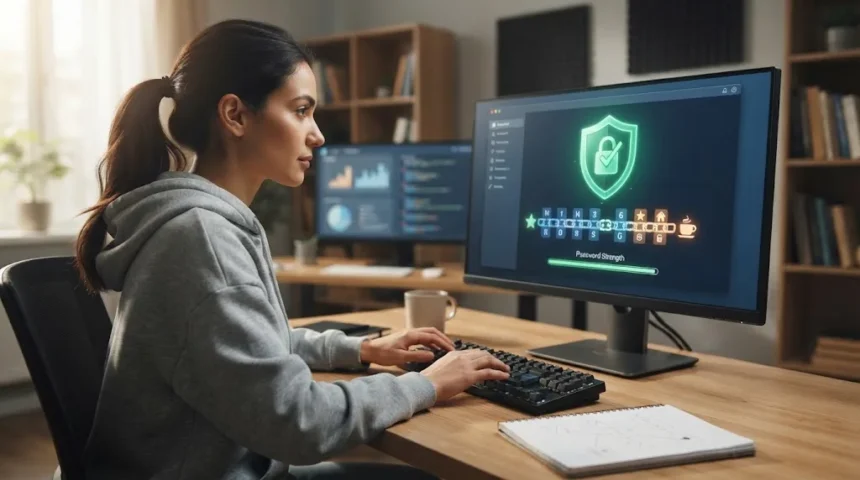
Creating a strong password sounds simple until you actually have to remember it. Many people either choose passwords that are easy to recall but easy to guess, or they create complicated combinations that are forgotten within days. The best approach is to find a balance between strong account security and a password structure your brain can reliably remember.
Cybercriminals use automated tools, leaked credential databases, phishing attacks, and password-guessing techniques to access online accounts. A short password based on your name, birthday, favorite team, or common phrase can be much easier to crack than you might expect. Strong passwords make these attacks significantly more difficult and reduce the risk of unauthorized account access.
The good news is that secure passwords do not need to look like meaningless collections of random characters. Length, uniqueness, unpredictability, and good password habits matter more than simply making a password visually complicated. This guide explains how to create strong passwords you can remember while keeping your email, banking, social media, shopping, and work accounts safer.
What Makes a Password Strong?
A strong password should be long enough to make automated guessing attacks difficult and unpredictable enough that someone cannot easily figure it out from information about you. Modern password security focuses heavily on length because each additional character increases the number of possible combinations. Longer passwords are generally harder to crack than short passwords built from predictable substitutions.
Uniqueness is equally important because a strong password becomes far less useful if you reuse it across several websites. When one service experiences a data breach, criminals may test exposed usernames and passwords on other popular platforms. A different password for every account prevents one compromised website from automatically placing your email, banking, shopping, and social accounts at risk.
Strong passwords should also avoid common words, obvious sequences, keyboard patterns, and easily discoverable personal information. Passwords such as Password123, Qwerty123, your pet’s name, or your birth year may meet basic website requirements while remaining predictable. A better password combines sufficient length with words or characters that have no obvious connection to your public identity.
Why Easy-to-Remember Passwords Are Often Weak
People naturally create passwords based on familiar information because familiar details are easier to recall. Names, birthdays, phone numbers, favorite movies, cities, and anniversaries may therefore appear in personal passwords. Unfortunately, much of this information can be found through social media profiles, public records, company websites, or conversations that attackers use when targeting specific individuals.
Another problem is that people often follow predictable password-building formulas. Someone may use the same basic word for every website and simply add the platform name, a number, or an exclamation mark. Although the passwords technically differ, an attacker who discovers one pattern may be able to predict how passwords for other accounts were constructed.
Memorability does not need to depend on familiar personal details. Humans often remember unusual combinations, visual associations, stories, and meaningful mental connections surprisingly well. The way human intelligence processes patterns and associations can be useful when creating memorable passphrases that appear unrelated to outsiders but still make sense inside your own memory.
Use a Passphrase Instead of a Short Password
A passphrase is a longer password created from several words rather than one short word followed by numbers and symbols. For example, combining unrelated words into a memorable mental image can produce a password that is both longer and easier to recall. The exact words should be personal to your memory process without being common quotations, famous lyrics, or obvious phrases.
The strength of a passphrase comes largely from its length and unpredictability. Four or more unrelated words can create a large number of possible combinations while remaining easier to type than a complicated string of random characters. You can improve the structure further by adding punctuation or numbers when a particular website requires them, without making the phrase unnecessarily confusing.
Avoid using common expressions such as well-known sayings, movie quotes, song lyrics, or frequently repeated phrases. Attackers can use dictionaries containing popular expressions as part of automated password attacks. Instead, choose unrelated words that create an unusual mental picture, because something strange and visual is often easier to remember while being considerably harder for someone else to predict.
Focus on Password Length Instead of Complicated Tricks
Many people believe a password becomes strong simply by replacing letters with numbers or symbols. Changing an “a” to “@” or an “s” to “$” may look clever, but attackers are familiar with these common substitutions. Automated password-cracking tools can test predictable variations quickly, so complexity alone does not make a short or common password secure.
Length creates a stronger foundation because longer passwords dramatically increase the number of combinations an attacker may need to test. A memorable passphrase containing several unrelated words can therefore be more practical than a short password packed with random symbols. The objective is to make the password difficult to guess without making it so complicated that you constantly forget or reset it.
Symbols and numbers still have value when websites require them or when they naturally fit your chosen password structure. However, they should supplement a strong foundation rather than compensate for a weak password. Start with sufficient length and unpredictable words, then add necessary characters in a way you can consistently remember without creating obvious patterns such as always ending with “123!”
Avoid Personal Information in Your Passwords
Personal information can make passwords easier for targeted attackers to guess. Your first name, spouse’s name, children’s names, birthdays, hometown, employer, favorite football club, and pet names may all seem memorable, but they may also be publicly available. Social media has made personal details particularly easy to collect, even when people do not realize how much information they share.
Cybercriminals can combine personal details with common password patterns when attempting to access accounts. If someone knows your dog’s name is Bruno and your birth year is 1995, combinations based on those details become obvious candidates. Adding a capital letter or symbol does not necessarily solve the problem when the underlying information remains predictable.
Choose password elements that are not directly connected to facts another person could research about you. Random word combinations are useful because outsiders have no logical path toward guessing why those words were chosen. You can create a private mental story linking them together, but the connection should exist only in your memory rather than in publicly available information.
Never Reuse the Same Password Across Accounts
Password reuse is one of the most dangerous security habits because it allows one breach to affect several unrelated accounts. If your password from an online store becomes exposed, attackers can test the same email and password combination against email providers, social networks, streaming services, and financial platforms. This automated technique is commonly known as credential stuffing.
Your email account deserves especially strong protection because it often controls password recovery for other services. If someone gains access to your primary email, they may request password resets for shopping, social media, cloud storage, and financial accounts. Using a unique password for email helps prevent a breach elsewhere from becoming a gateway to your entire online identity.
Create a different password for every important service rather than making small changes to one master pattern. Avoid formulas such as adding “FB” for Facebook or “Bank” for banking because predictable variations provide limited protection. If remembering dozens of completely unique passwords becomes unrealistic, a reputable password manager can handle most of that burden securely.
Use a Password Manager for Better Security
Password managers are designed to generate, store, and organize unique passwords for your online accounts. Instead of remembering every password individually, you mainly need to protect access to your password manager. This allows you to use long, randomly generated passwords that would otherwise be difficult or impossible to memorize without sacrificing convenience during everyday browsing.
A password manager can also reduce password reuse because there is less pressure to create memorable passwords for every website. Many password managers can generate strong credentials automatically and fill them when you visit the correct login page. This makes it easier to maintain unique passwords across dozens or even hundreds of accounts without relying on spreadsheets, notes, or repeated password formulas.
Choose a reputable password manager and protect it with a strong master password or passphrase that you do not use anywhere else. Enable multi-factor authentication when available for additional security. The master password is one password worth memorizing carefully because it protects access to the collection of credentials stored inside your password vault.
Add Multi-Factor Authentication to Important Accounts
Even the strongest password can potentially become compromised through phishing, data breaches, malware, or accidental exposure. Multi-factor authentication adds another security requirement beyond the password, making account takeover more difficult. An attacker who steals your login credentials may still be unable to access your account without the additional authentication method associated with your device or identity.
Authentication methods can include authenticator applications, security keys, biometric verification, or temporary security codes. Some methods provide stronger protection than others, but adding a second factor is generally better than relying entirely on a password. Prioritize multi-factor authentication for email, banking, cloud storage, password managers, workplace accounts, and other services containing valuable or sensitive information.
You should still treat unexpected verification requests carefully. Attackers sometimes attempt to trick users into approving authentication prompts or revealing temporary codes after stealing passwords. Never approve a login notification you did not initiate, and avoid sharing authentication codes with anyone who contacts you unexpectedly, even if the person claims to represent customer support or security staff.
Know When You Should Change a Password
You do not need to constantly change strong passwords simply because several weeks or months have passed. Frequent unnecessary changes can encourage predictable habits such as modifying one number at the end of an existing password. Password changes become much more important when there is evidence that your credentials may have been exposed, stolen, reused, or entered on a suspicious website.
Change your password immediately if you receive a legitimate breach notification involving your credentials or discover unauthorized activity inside your account. You should also update it after entering credentials into a phishing page, sharing them accidentally, or finding malware on a device. When changing a compromised password, make the replacement completely different rather than creating a minor variation.
If the compromised password was reused elsewhere, update every other account using the same credentials. Start with your email, banking, password manager, and other high-value services before moving to less sensitive accounts. Review recent login activity and connected devices as well, because changing the password may not always remove every unauthorized session that was already established.
A Simple Method for Creating a Memorable Strong Password
Start by choosing several unrelated words that you can turn into a strange mental image. Imagine unusual objects, actions, or places appearing together in a scene that would make little sense to another person. The words should not form a common sentence, quote, or phrase, but the unusual picture they create should help you recall the sequence without writing it down.
Next, make the passphrase sufficiently long and add characters only where they are useful or required. You might naturally separate words with punctuation or include a number that is not connected to your birthday, address, or other public information. Avoid predictable endings and standard substitutions because attackers already include those patterns when testing potential passwords.
Finally, use that password for only one account. If you need unique credentials for many services, let a password manager create and store most of them while you memorize only your strongest essential passphrase. This approach combines human-friendly memory techniques with modern password security, making strong account protection easier to maintain consistently over the long term.
Common Password Mistakes You Should Avoid
One common mistake is choosing passwords from lists of popular passwords or making only minor changes to obvious words. Adding a single number, capital letter, or symbol to a weak password does not suddenly make it strong. Attackers know that users commonly transform words in predictable ways, so automated tools can test these variations much faster than people expect.
Another mistake is saving passwords in insecure places such as unprotected documents, notes on a desk, browser screenshots, or messages sent to yourself. Anyone who gains access to that location may discover several accounts at once. A dedicated password manager provides a much safer way to organize credentials than maintaining an ordinary document containing usernames and passwords.
People also sometimes share passwords with friends, family members, coworkers, or support representatives for convenience. Sharing creates additional opportunities for passwords to become exposed through other people’s devices, messages, or accounts. When shared access is necessary, use official account-sharing, family, or team features whenever available instead of sending the actual password through email, chat, or text messages.
Conclusion
Creating a strong password you can remember is easier when you stop treating complexity as the only goal. Long, unpredictable passphrases built from unrelated words can provide strong protection while remaining manageable for human memory. Avoid personal information, common phrases, obvious keyboard patterns, and predictable substitutions that attackers can test using automated password-cracking techniques.
Every important account should also have its own unique password. Reusing the same credentials can turn one website breach into several compromised accounts, especially when your primary email is involved. Password managers make unique credentials far easier to maintain and allow you to reserve your memory for a small number of especially important passwords or passphrases.
Strong passwords work best as part of a broader security strategy. Enable multi-factor authentication, respond quickly to suspected breaches, keep your devices secure, and remain cautious about phishing messages asking for login details. Combining memorable passwords with good account security habits can significantly reduce the chances of unauthorized access, identity theft, and other online security problems.
FAQs
How long should a strong password be?
A strong password should generally prioritize length and unpredictability rather than minimum website requirements alone. Longer passphrases made from several unrelated words can provide strong security while remaining easier to remember than short, complicated passwords.
Is a passphrase better than a password?
A well-created passphrase can be both stronger and easier to remember because it uses several unrelated words to create greater length. Avoid famous quotations, song lyrics, and other predictable phrases that attackers may already test.
Should I use the same strong password on multiple websites?
No. Even a very strong password should not be reused because a breach on one website could expose credentials used elsewhere. Create unique passwords for each account or store them securely in a password manager.
Should passwords contain numbers and symbols?
Numbers and symbols can strengthen passwords, especially when websites require them, but they are not a substitute for sufficient length and unpredictability. Avoid obvious additions such as “123” or placing an exclamation mark at every password’s end.
How can I remember many different strong passwords?
A reputable password manager can securely store unique passwords so you do not need to memorize every credential. You mainly need to remember a strong, unique master passphrase and protect the password manager with multi-factor authentication.