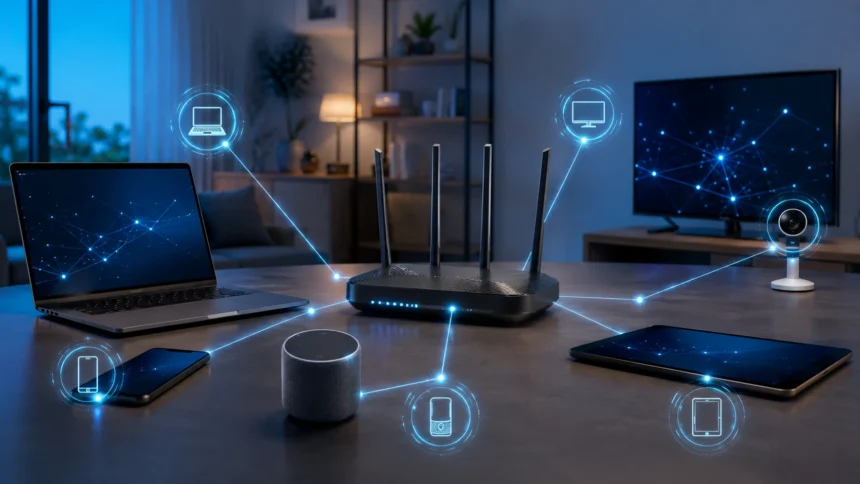
What Is MAC Address? Simple Definition & Examples
A MAC address is a unique identifier used by a network interface to communicate with other devices on a local network. MAC stands for Media Access Control, and you will find MAC addresses on laptops, smartphones, routers, printers, smart TVs, gaming consoles, and many other connected devices. When your computer connects to Wi-Fi or Ethernet, its network adapter uses a MAC address as part of local network communication. A typical MAC address looks like 00:1A:2B:3C:4D:5E, although the exact letters and numbers vary from one interface to another. Understanding what a MAC address is can make basic networking, router setup, troubleshooting, and device identification much easier.
People sometimes call a MAC address a physical address, hardware address, or network adapter address, although modern devices can also generate private or randomized MAC addresses for privacy. Unlike an IP address, which helps route data between networks, a MAC address is mainly used at the local network level. One computer may even have several MAC addresses because its Wi-Fi, Ethernet, Bluetooth, and virtual network adapters can each have separate identifiers. This means a MAC address identifies a network interface rather than necessarily identifying an entire physical device forever. This guide explains MAC address meaning, format, uses, examples, differences from IP addresses, privacy features, and simple ways to find your MAC address.
What Is a MAC Address?
A MAC address is an identifier associated with a network interface that allows devices to recognize and communicate with one another on a local network. The abbreviation MAC stands for Media Access Control, which refers to a part of networking responsible for controlling how devices access and exchange information across a communication medium. In practical terms, a MAC address helps a Wi-Fi access point, Ethernet switch, or other networking equipment identify interfaces connected to the network. It is commonly represented by 12 hexadecimal characters divided into six groups. An example is 3C:52:82:A1:4B:7F, where each pair of characters represents part of the 48-bit address.
A simple way to understand MAC address meaning is to imagine an office building containing many employees. An IP address works somewhat like the room or desk location used to route something toward the correct destination, while a MAC address acts more like an identifier attached to the individual network interface receiving local traffic. The comparison is not technically perfect, but it helps beginners understand why networks use more than one kind of address. A laptop connected to a home router needs local-link addressing as well as an IP configuration. These systems work together rather than competing with each other. Without local network identifiers, devices would have difficulty determining where Ethernet or Wi-Fi frames should be delivered.
MAC addresses are often called hardware addresses because network interface manufacturers traditionally assign them during production. A laptop’s Wi-Fi adapter, for example, may have a globally assigned MAC address associated with the organization that manufactured the hardware or network component. However, calling every MAC address permanent can now be misleading because modern operating systems often use software-generated addresses. Smartphones and laptops can create private Wi-Fi addresses to reduce tracking across different networks. Virtual machines can also use MAC addresses that exist only in software rather than on a physical network card. Therefore, a better modern definition is that a MAC address identifies a network interface for link-layer communication, whether the address originated from hardware or software.
A device does not necessarily have only one MAC address. A desktop computer might have one address for its Ethernet adapter and another for a separate Wi-Fi card. A laptop may contain Wi-Fi, Ethernet, Bluetooth, VPN, and virtual machine interfaces, each appearing with different networking identifiers. Smartphones may show both a hardware Wi-Fi MAC address and a private address created for an individual wireless network. This is why checking a computer’s network information can sometimes produce several MAC addresses rather than one simple result. When someone asks you to provide a MAC address, it is therefore useful to know whether they need the Wi-Fi, Ethernet, or another specific network interface address.
MAC addresses are mainly important within local networking environments rather than serving as public internet addresses. Your laptop can use its MAC address when communicating with your home router, but a distant website does not normally receive that same MAC address through ordinary internet browsing. Routers replace local link-layer framing as packets move from one network segment to another. The IP information continues to help route the packet, while local MAC addressing changes according to the network link currently carrying the traffic. This separation is one of the fundamental ideas behind layered network communication. It also explains why knowing someone’s MAC address does not automatically allow you to locate or communicate directly with that person’s device across the public internet.
What Does a MAC Address Look Like?
Most familiar MAC addresses used with Ethernet and Wi-Fi contain 48 bits of information. Computers could display those 48 bits as a long sequence of binary zeros and ones, but that format would be difficult for people to read and type. Instead, MAC addresses are usually shown using hexadecimal notation, which uses the numbers 0 through 9 and letters A through F. A typical example is 00:25:96:FF:12:34. Each pair represents eight bits, also called one byte, and six pairs together make the familiar 48-bit address. This format makes MAC addresses much shorter and easier to manage than their full binary equivalents.
Different operating systems and networking tools may display separators differently without changing the underlying address. You might see 00:25:96:FF:12:34 on one device and 00-25-96-FF-12-34 on another. Some networking equipment may even display the same information in groups such as 0025.96FF.1234. These are formatting differences rather than fundamentally different types of MAC addresses. If you remove the separators, each example still contains the same twelve hexadecimal characters. Understanding this can prevent confusion when comparing an address from a router with the address displayed in a computer’s settings.
The first portion of a traditional globally assigned MAC address can provide information about the organization responsible for the address block. Historically, the first 24 bits are commonly associated with an Organizationally Unique Identifier, usually shortened to OUI. Manufacturers and other organizations obtain address space and then assign the remaining portion to individual network interfaces. This makes it possible for networking tools to sometimes identify a likely manufacturer by examining the beginning of a MAC address. However, this technique should be treated as a clue rather than definitive proof of the exact device. A network-chip manufacturer may supply components to many different laptop, television, router, or smartphone brands.
The second half of a traditional 48-bit MAC address helps distinguish individual interfaces within the manufacturer’s assigned address space. If the first three groups identify an organization’s allocation, the remaining groups can be assigned so each interface receives a different value. This large address space allows manufacturers to produce millions of network interfaces without intentionally reusing the same globally assigned address. In practice, networking standards and address-management systems help organizations avoid collisions. Duplicate addresses on the same local network can cause communication problems because switches and devices may struggle to determine which interface should receive traffic. That is one reason coordinated MAC address assignment matters.
Not every modern MAC address can be interpreted using the simple manufacturer-prefix model. Private, locally administered, and randomized addresses may deliberately avoid exposing the hardware identifier supplied by the manufacturer. A phone connecting to two different Wi-Fi networks may therefore present different MAC addresses even though the physical wireless adapter has not changed. Virtual network interfaces can also use software-created addresses that do not directly identify a hardware manufacturer. This is increasingly common in cloud computing, virtualization, privacy-focused operating systems, and managed networks. When a vendor lookup tool fails to identify a manufacturer, it does not necessarily mean the MAC address is invalid or suspicious.
How Does a MAC Address Work?
MAC addresses help devices exchange data at the local network level by identifying the source and destination of network frames. Suppose a laptop is connected by Ethernet to a switch along with several other computers. When the laptop sends an Ethernet frame, the frame includes a source MAC address showing where it came from and a destination MAC address indicating where it should go. The switch examines this information and decides which physical port should receive the traffic. Over time, the switch learns which MAC addresses are associated with different ports. This learning process helps the switch forward traffic efficiently instead of sending every frame to every connected device.
Ethernet switches maintain information commonly called a MAC address table or forwarding table. When a frame enters a switch port, the switch observes the source MAC address and associates that address with the port where the frame arrived. If another device later sends traffic to that MAC address, the switch can forward the frame toward the correct port. If the destination is unknown, the switch may temporarily flood the frame through multiple appropriate ports until it learns where the destination exists. This process happens automatically and extremely quickly. Users can therefore move files, access servers, print documents, and use local services without manually telling the switch where each device is located.
Wi-Fi networks also use MAC addresses, although wireless networking adds additional management and addressing details. When your phone joins a Wi-Fi network, the access point communicates with the phone’s wireless interface using link-layer addressing. The access point can recognize the client by the MAC address currently presented for that wireless connection. In older devices, this was commonly the permanent hardware address assigned to the Wi-Fi interface. Modern phones and laptops often use a private MAC address instead. The network can still communicate normally because it only needs a valid local identifier, even if that identifier is not the device’s original hardware address.
MAC addresses also work closely with IP addresses through local network protocols. In an IPv4 network, a computer may know the local IP address it wants to reach but still need the corresponding MAC address before sending an Ethernet frame. The Address Resolution Protocol, commonly called ARP, helps find the MAC address associated with a local IPv4 address. Once the address is known, the computer can build a frame and send it toward the correct network interface. IPv6 uses a different mechanism called Neighbor Discovery for related functions. This interaction demonstrates that IP and MAC addresses complement each other by operating at different layers of network communication.
When traffic leaves the local network, MAC addressing does not simply follow the data unchanged across the entire internet. Imagine your laptop sending a request to a website on a server thousands of miles away. Your laptop usually sends the local frame toward its default gateway, which is commonly your home or office router. The router removes the local frame, examines the IP packet, and forwards it toward another network using new link-layer information appropriate for that connection. This process can happen repeatedly as traffic moves across networks. The website ultimately receives network-layer information such as an IP address, but it does not normally receive the original Wi-Fi MAC address from your laptop.
MAC Address vs IP Address
The main difference between a MAC address and an IP address is the job each one performs. A MAC address primarily identifies a network interface for communication within a local network segment. An IP address is a logical network address used to identify devices and route packets across networks. Your laptop may have the Wi-Fi MAC address A4:B1:C1:25:60:8E while receiving the local IP address 192.168.1.25 from your router. Both addresses can exist at the same time and serve different purposes. Understanding this distinction is one of the most important foundations of basic computer networking.
IP addresses can change frequently depending on where a device connects. When you use your laptop at home, your router may assign it an address such as 192.168.1.15. If you take the same laptop to an office, hotel, airport, or university network, it will normally receive a different local IP address that belongs to that environment. The underlying hardware MAC address may remain the same, although a private Wi-Fi address could also be used depending on operating-system settings. This makes IP addresses more closely connected to the network location and routing configuration. MAC addresses are concerned primarily with interface identification on the local link.
The formats are also easy to distinguish once you have seen several examples. A MAC address might look like 70:85:C2:4D:9F:11, while a typical IPv4 address looks like 192.168.0.50. IPv6 addresses are considerably longer and can appear as values such as 2001:db8:85a3::8a2e:370:7334. MAC addresses are commonly represented using six pairs of hexadecimal characters, whereas IPv4 uses four decimal numbers separated by periods. Although IPv6 and MAC addresses both use hexadecimal notation, their structures and roles remain very different. Recognizing these formats helps users avoid entering an IP address into a field requesting a MAC address or vice versa.
Another major difference involves how far the addresses normally travel. A local MAC address helps deliver frames on one network link and usually changes as a packet moves from one routed network to another. IP addresses, by contrast, are designed to help route packets across multiple networks toward their intended destination. Your home router can therefore use IP information to determine where internet traffic should be forwarded while using local MAC information to communicate with devices inside your home network. This layered design allows the same IP networking system to operate across Ethernet, Wi-Fi, fiber, cellular, and other underlying technologies. Each networking layer handles a different part of the communication problem.
Neither type of address should be treated as a strong personal identity by itself. A local IP address can be reassigned to different devices over time, and multiple home devices can share one public IP address through network address translation. MAC addresses can also be changed, randomized, or generated by software. A company may still use these identifiers as part of asset management or troubleshooting, but additional information is usually needed to confirm which user or device was involved in an event. Understanding these limitations is especially important in cybersecurity. Network identifiers are useful evidence and management tools, but they are not equivalent to secure usernames, passwords, certificates, or cryptographic identities.
Simple MAC Address Examples
Imagine a home network where a laptop connects to a Wi-Fi router. The laptop might use the MAC address 10:2A:B3:44:C5:61 while the router gives it the local IP address 192.168.1.8. When the laptop sends local network traffic, the router and wireless access point use link-layer addressing to identify the device’s Wi-Fi interface. If the laptop disconnects and reconnects later, it may receive a different local IP address while continuing to use the same Wi-Fi MAC address. This simple scenario explains why router device lists often show both an IP address and a MAC address for each connected client. The two values help administrators understand different aspects of the connection.
Consider a network printer as another MAC address example. A company might have a printer with the MAC address 00:1F:29:AA:84:17 connected to its office network. The administrator can configure a DHCP reservation so the printer is repeatedly offered the same local IP address, such as 192.168.10.50. Employees can then connect to that stable IP address without worrying that the printer will move to a new address every few days. The router or DHCP server uses information associated with the printer’s network interface to match the reservation. If the printer’s network adapter is replaced, its MAC address may change and the reservation may need to be updated.
A smartphone provides a more modern example because privacy features may change what the network sees. Suppose a phone has the hardware Wi-Fi MAC address C8:17:39:20:D1:72. When the owner connects to a coffee shop’s public Wi-Fi, the phone may generate a private address such as 7A:31:94:E5:20:B8 instead of exposing the hardware identifier. The coffee shop network can still provide internet access because the private address works as a valid local identifier. When the same phone connects to another wireless network, it may use a different private MAC address. This helps reduce the ability to track one device simply by watching for the same hardware address everywhere.
Smart-home devices provide another practical example. A home router may list several connected devices with unfamiliar names, making it difficult to know which entry belongs to a security camera, smart speaker, thermostat, or television. Looking at the MAC address and comparing it with the network information shown in each device’s settings can help identify them. A globally assigned address may also provide a clue about the network-interface manufacturer. However, that information does not always reveal the exact final product because many brands use networking components made by other companies. Matching addresses directly is therefore more reliable than relying exclusively on manufacturer lookup tools.
Businesses commonly use MAC addresses when troubleshooting network access. Imagine an employee who cannot connect a laptop to a company Wi-Fi network that registers approved device addresses. The administrator checks the laptop and discovers that its current private Wi-Fi MAC address differs from the address originally entered into the system. Updating the registered address or adjusting the network’s device-management approach can resolve the problem. This does not necessarily mean the laptop is malfunctioning or that someone changed its hardware. Modern privacy settings can legitimately create different MAC addresses for different networks. Understanding this behavior saves time and prevents administrators from incorrectly diagnosing a normal privacy feature as a security incident.
What Is a MAC Address Used For?
The most fundamental use of a MAC address is helping network equipment deliver frames on a local network. Ethernet switches rely on MAC addresses when learning where connected interfaces are located and deciding where traffic should be forwarded. Wi-Fi access points also use link-layer identifiers while communicating with wireless clients. Without this addressing system, local networking devices would need some other mechanism for distinguishing interfaces sharing the same environment. Users rarely see this process because it happens automatically in the background. Every time you stream a file from a local server, communicate with your router, or print over a network, MAC addressing may be involved somewhere in that local communication.
MAC addresses are also useful for identifying connected devices during network administration. Home routers often display a list containing device names, local IP addresses, connection types, and MAC addresses. If an unfamiliar device appears, the owner can compare its MAC address with those shown on phones, computers, televisions, cameras, and other networked equipment. Businesses perform similar tasks on a much larger scale using switches, wireless controllers, network-monitoring platforms, and asset-management systems. Administrators can sometimes determine which switch port or access point is associated with a specific MAC address. This information can help locate devices physically and troubleshoot connectivity problems more efficiently.
DHCP reservations are another common MAC address use. DHCP normally assigns IP configuration automatically when a device connects to a network. An administrator may want certain equipment, such as printers, servers, cameras, or network storage devices, to receive the same local IP address repeatedly. A reservation can associate that preferred IP configuration with the device’s network identifier. This provides the convenience of automatic configuration while keeping the device’s local address predictable. Private MAC features can complicate these reservations if the address presented by the device changes, so administrators need to understand which interface identifier the network actually sees.
Some routers offer MAC filtering as a method of allowing or blocking particular devices. An administrator might create an allowlist containing approved MAC addresses and reject other clients. This sounds secure, but MAC filtering should not be considered a strong replacement for modern Wi-Fi encryption and authentication. Addresses can sometimes be observed or changed, which means a determined attacker may be able to imitate an approved address. MAC filtering can still be helpful for simple device organization or supplemental access rules. Strong WPA2 or WPA3 security, good passwords, software updates, network segmentation, and appropriate authentication provide much more meaningful protection.
Troubleshooting is another important reason technicians pay attention to MAC addresses. A network engineer may inspect a switch’s forwarding table to determine whether a device is appearing on the expected port. Packet-analysis tools can display source and destination MAC addresses inside Ethernet frames, helping engineers follow local traffic and identify unexpected behavior. A duplicate MAC address can cause connectivity problems if two interfaces present the same identifier on the same network segment. Administrators may also compare MAC information when investigating unauthorized devices or DHCP issues. Although normal users rarely need this level of detail, MAC addresses remain extremely useful diagnostic tools for IT professionals and network administrators.
How to Find Your MAC Address
On Windows, one of the easiest ways to find a MAC address is through Command Prompt. Open Command Prompt and type ipconfig /all, then locate the network adapter you are currently using. Beneath that adapter, look for a field labeled Physical Address, which is Microsoft’s common term for the MAC address. You may see separate sections for Wi-Fi, Ethernet, Bluetooth, VPN, and virtual adapters. Make sure you copy the address from the correct interface. If someone needs your wireless MAC address, for example, providing the Ethernet physical address may prevent device registration from working.
Windows also provides the getmac command, which offers a more direct way to display Media Access Control addresses. Open Command Prompt, type getmac, and press Enter to view addresses associated with available network interfaces. PowerShell users can also use networking commands such as Get-NetAdapter to display adapter information in a structured format. Multiple entries are normal because modern computers often contain several physical and virtual network interfaces. If an adapter is disabled, disconnected, or created by virtualization software, it may still appear in the results. The safest approach is to identify the adapter name first and then copy the corresponding MAC address.
On Android devices, menu names vary somewhat between manufacturers and Android versions. A common route is to open Settings, select About phone or About device, and locate the Wi-Fi MAC address under hardware or status information. Modern Android versions may also show a randomized MAC address within the settings for an individual Wi-Fi network. That network-specific address can be more important when troubleshooting access because it may be the address the router actually sees. If a company or school asks you to register your phone’s MAC address, check whether private or randomized addressing is enabled. Providing the hardware address when the network sees a randomized address can cause unnecessary connection problems.
On iPhone and iPad devices, Apple provides hardware network information under the device’s settings, while modern iOS versions also support Private Wi-Fi Address features for individual networks. A user can open the Wi-Fi settings, select the connected network, and inspect the private-address configuration associated with that connection. Macs similarly provide network information through System Settings and can display interface details through Terminal commands for advanced users. The important distinction is between the device’s underlying hardware address and the private address being presented to a specific wireless network. When troubleshooting, the network-facing address is usually the one an administrator needs.
You can also find MAC addresses directly through a router’s administration interface. Many home routers provide a connected-device page showing each client’s device name, local IP address, MAC address, and whether it is connected through Wi-Fi or Ethernet. This approach is useful for devices such as smart televisions, cameras, printers, or speakers that may not have convenient networking menus. Compare the router’s information with the device’s own settings to identify unknown entries. Keep in mind that private MAC addresses can make one phone or laptop appear differently than expected. An unfamiliar MAC address is therefore not automatic proof that an unauthorized person has connected to your network.
MAC Address Privacy and Security
MAC addresses were originally designed for network communication rather than as privacy-protection mechanisms. A stable Wi-Fi hardware address can be useful for administration, but repeatedly broadcasting or presenting the same identifier can make it easier to recognize a device across different networks. Researchers and technology companies have therefore developed MAC randomization features that reduce unnecessary exposure of persistent hardware identifiers. Modern phones, tablets, and laptops can generate private addresses when connecting to Wi-Fi. The network still receives a valid link-layer identifier, but it does not necessarily receive the factory-assigned hardware MAC address. This approach improves privacy without requiring major changes to ordinary Wi-Fi communication.
Private MAC addresses can behave differently depending on the operating system and network configuration. Some systems generate a stable private address for each saved Wi-Fi network so the device looks consistent whenever it returns to that network. Other privacy modes may rotate the address periodically, particularly on open or weaker-security networks. This can reduce long-term tracking but may create difficulties for systems that rely on a permanent MAC address for access control or device registration. Network administrators should therefore design policies that account for modern privacy behavior. Automatically demanding that every user disable MAC randomization can unnecessarily weaken privacy when better management methods are available.
MAC spoofing is another term that often appears in discussions about network security. It refers to changing the MAC address that an interface presents rather than using its original hardware identifier. Legitimate administrators and developers may do this for testing, virtualization, troubleshooting, migration, or specialized network configurations. However, malicious users can also imitate another device’s MAC address in an attempt to bypass weak MAC-based restrictions. This possibility is why MAC filtering alone is not strong authentication. A MAC address can be useful for identification and management, but organizations protecting sensitive systems should use stronger security mechanisms based on credentials, certificates, encryption, or authenticated device-management systems.
You should not think of a MAC address as a secret password, but there is also little benefit in publishing it unnecessarily. Local network administrators normally need to see MAC addresses in order to manage devices, and router logs frequently contain them. Sharing an address with a trusted IT team for troubleshooting or network registration is generally normal. However, a MAC address should not be treated as proof that someone owns a device or was personally responsible for a particular activity. Addresses can change, devices can be shared, and software can generate alternate identifiers. Security investigations should therefore combine MAC information with other reliable evidence rather than drawing conclusions from one network field alone.
MAC addresses also do not reveal someone’s exact location by themselves. The address contains no built-in GPS coordinates, street name, or map location. A network operator may know approximately where a device appeared because the operator knows the physical location of the Wi-Fi access point or Ethernet switch that observed it. That contextual information comes from the network infrastructure, not from geographic data stored inside the MAC address. Persistent observation can still create privacy concerns, which is why randomized addressing has become common. But simply obtaining a MAC address from a screenshot or device menu does not allow an ordinary person to type it into a map and instantly find the device.
Why MAC Addresses Still Matter
MAC addresses remain important because local networks need reliable ways to identify interfaces and forward traffic. Even though technologies such as Wi-Fi privacy randomization have changed how permanent these identifiers are expected to be, link-layer addressing remains fundamental to Ethernet and wireless networking. Switches, access points, operating systems, and network adapters use MAC information constantly without requiring user involvement. Most people can use the internet for years without manually entering a MAC address anywhere. However, the identifier becomes highly visible when troubleshooting, setting up routers, registering devices, or examining network security. This combination of invisibility and importance makes MAC addresses one of the foundational concepts worth understanding in basic networking.
They are also valuable because they help administrators connect several pieces of network information together. A technician might know a device’s MAC address, determine its current IP address from DHCP records, identify the switch port where it appears, and locate the physical office area associated with that port. Wireless administrators can similarly identify which access point currently serves a client. These capabilities support troubleshooting, inventory management, security monitoring, and capacity planning. Private addressing may reduce the long-term reliability of MAC addresses as permanent device identifiers, but it does not remove their immediate networking role. Administrators simply need to combine them with modern device-management information.
For ordinary users, knowing what a MAC address is can solve surprisingly common problems. A university may ask students to register a gaming console’s MAC address before allowing it onto a network. A home user may want to identify an unknown router entry or create a DHCP reservation for a printer. A business employee may need to provide the Wi-Fi MAC address when joining a managed network. Parents using router-level device controls may encounter private MAC addresses that cause a phone to appear as a new device. Understanding the difference between hardware and randomized addresses can make each of these tasks much easier.
Learning about MAC addresses also creates a useful foundation for understanding deeper networking concepts. Once you understand that local frames contain MAC addresses while routed packets contain IP addresses, technologies such as Ethernet switches, ARP, VLANs, routers, DHCP, and network segmentation become easier to study. You can see why a switch works differently from a router and why an IP address is not simply another name for a hardware address. These concepts are essential for careers in networking, cybersecurity, cloud computing, system administration, IT support, and software infrastructure. Even beginners who never become network engineers benefit from understanding how their everyday devices communicate.
The simplest definition is still the most useful one to remember: a MAC address is an identifier used by a network interface for local network communication. It typically appears as twelve hexadecimal characters such as 00:1A:2B:3C:4D:5E, although modern private addressing can cause the visible address to change. MAC addresses help switches and wireless networks deliver local traffic, identify devices, support DHCP reservations, and assist with troubleshooting. They are different from IP addresses and should not be treated as strong security credentials or exact location identifiers. Once you understand those basic points, many confusing networking settings become considerably easier to interpret.
Frequently Asked Questions About MAC Addresses
What does MAC address stand for?
MAC stands for Media Access Control. A MAC address is an identifier used by a network interface when communicating on local networks such as Ethernet and Wi-Fi.
What is an example of a MAC address?
A typical MAC address might look like 00:1A:2B:3C:4D:5E. Some devices display the same type of address with hyphens, such as 00-1A-2B-3C-4D-5E.
Is a MAC address the same as an IP address?
No. A MAC address is mainly used for local link-layer communication, while an IP address is used for logical addressing and routing traffic between networks.
Can a MAC address change?
Yes. A network interface may have a manufacturer-assigned hardware MAC address, but modern operating systems can generate private or randomized MAC addresses for Wi-Fi connections. Some network adapters and virtual systems can also use software-configured addresses.
Can someone locate me using my MAC address?
A MAC address does not contain your GPS coordinates or exact physical location. A local network operator may know where a device was observed based on the access point or switch involved, but the address itself does not directly reveal your location.